

Divi Image Reveal
DiviMotion Image Reveal animates Divi's own Image module as it scrolls into view, with 12 reveal styles from soft wipes to mosaic tiles, so every image makes an entrance worth noticing.
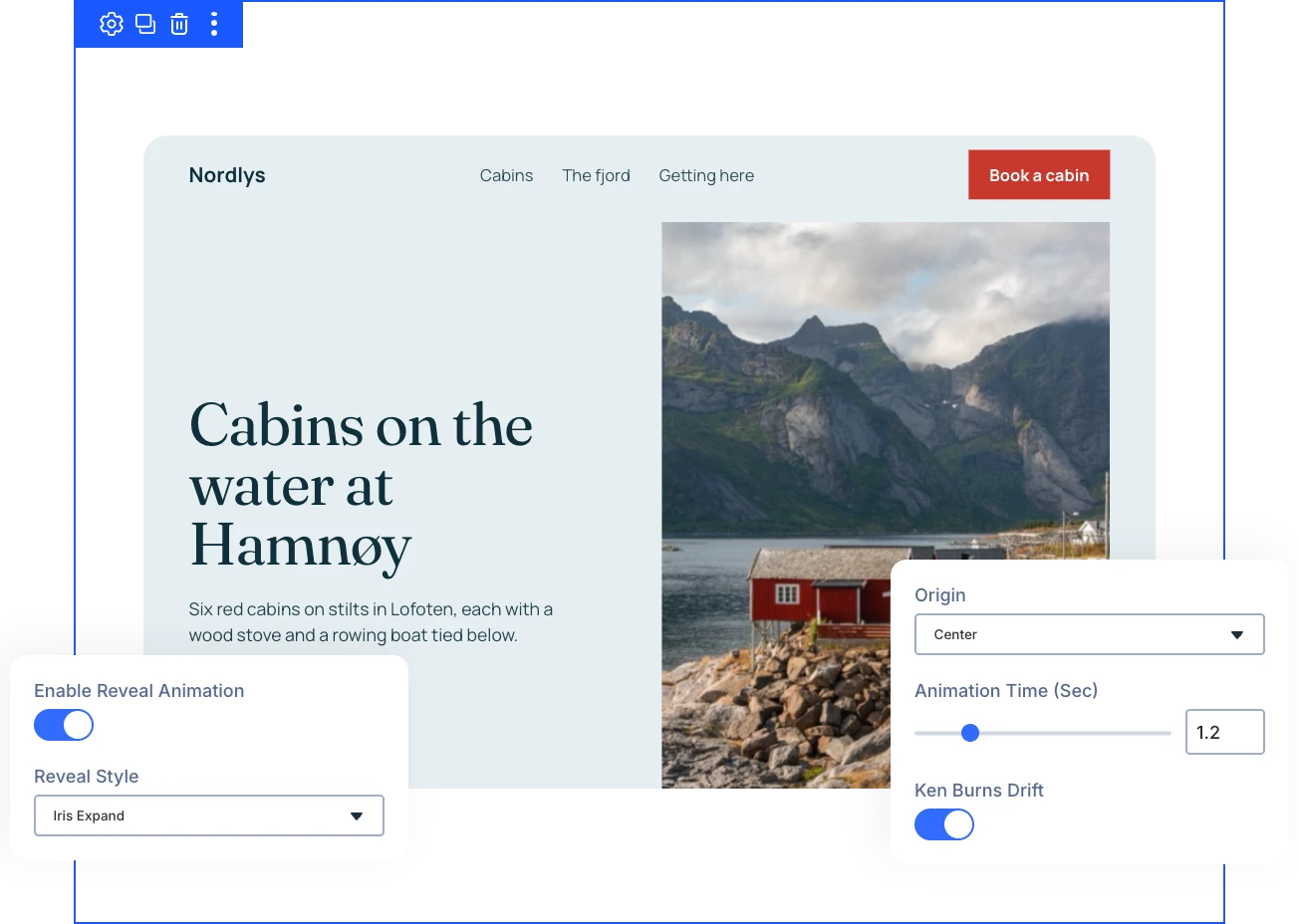
Twelve Reveal Styles
Iris Expand, Soft Wipe, Shape Mask, Split Doors, Mosaic Dissolve, Focus Pull, and more uncover each image in a way that fits your layout.
Native Image Module
Switch on the reveal inside Divi's own Image module, so you keep your existing images and workflow instead of learning a new module.
Motion After Reveal
Ken Burns Drift keeps each image slowly zooming and drifting after the reveal, so hero banners stay alive while visitors read.
Reveal ImagesThat Draw the Eye and Stay Easy to Control
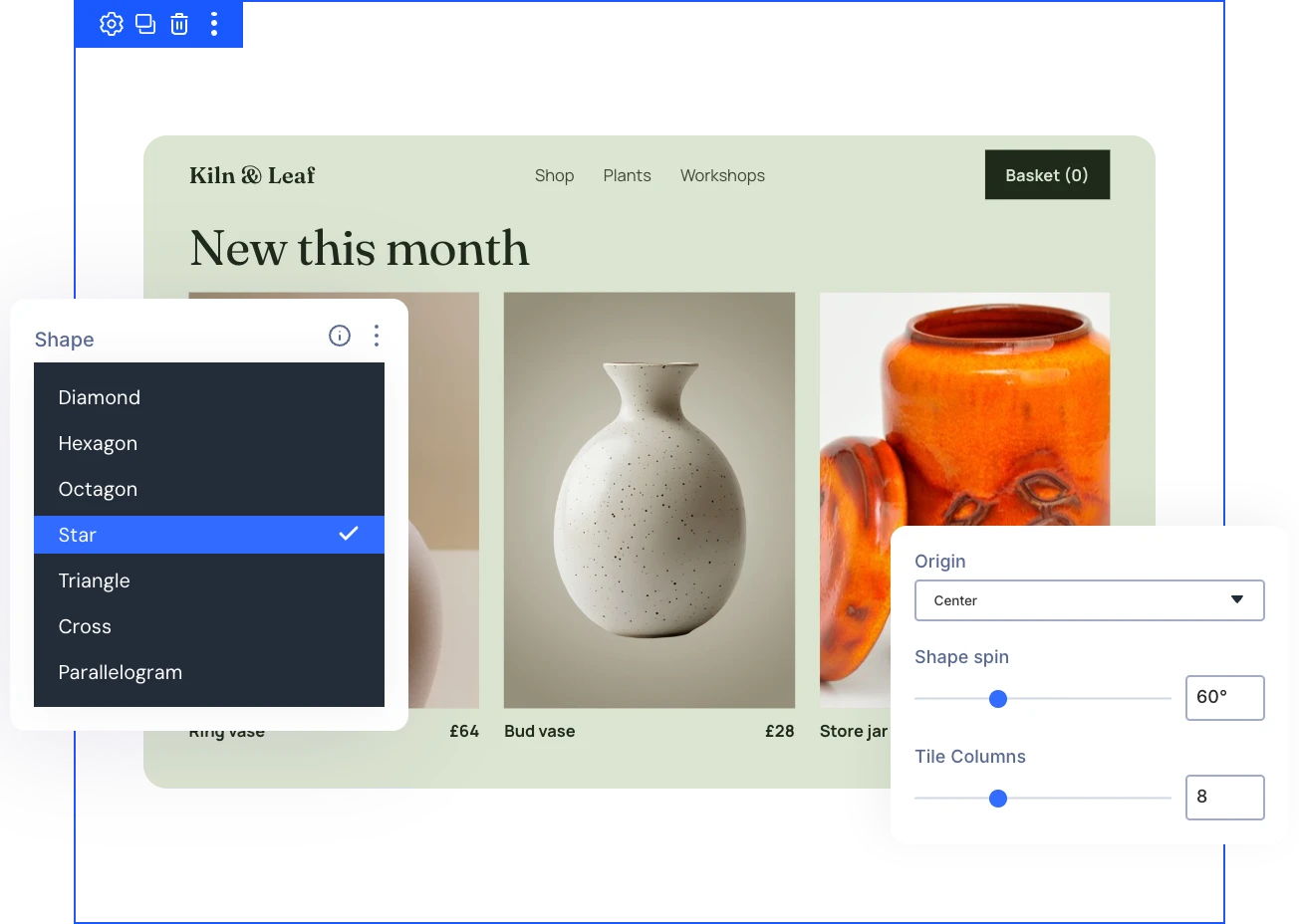
Shape Each Reveal With Style-Specific Controls
- Start Iris Expand, Organic Mask Growth, or Shape Mask from the center, any edge, or any corner.
- Unfold a Diamond, Hexagon, Star, or other shape that spins up to 180 degrees as it grows.
- Break images into 4 to 16 tile columns that dissolve from the start, end, center, edges, or randomly.
- Open Split Doors side to side or top to bottom, in your own panel color.
Layer Image Effects Into Every Reveal
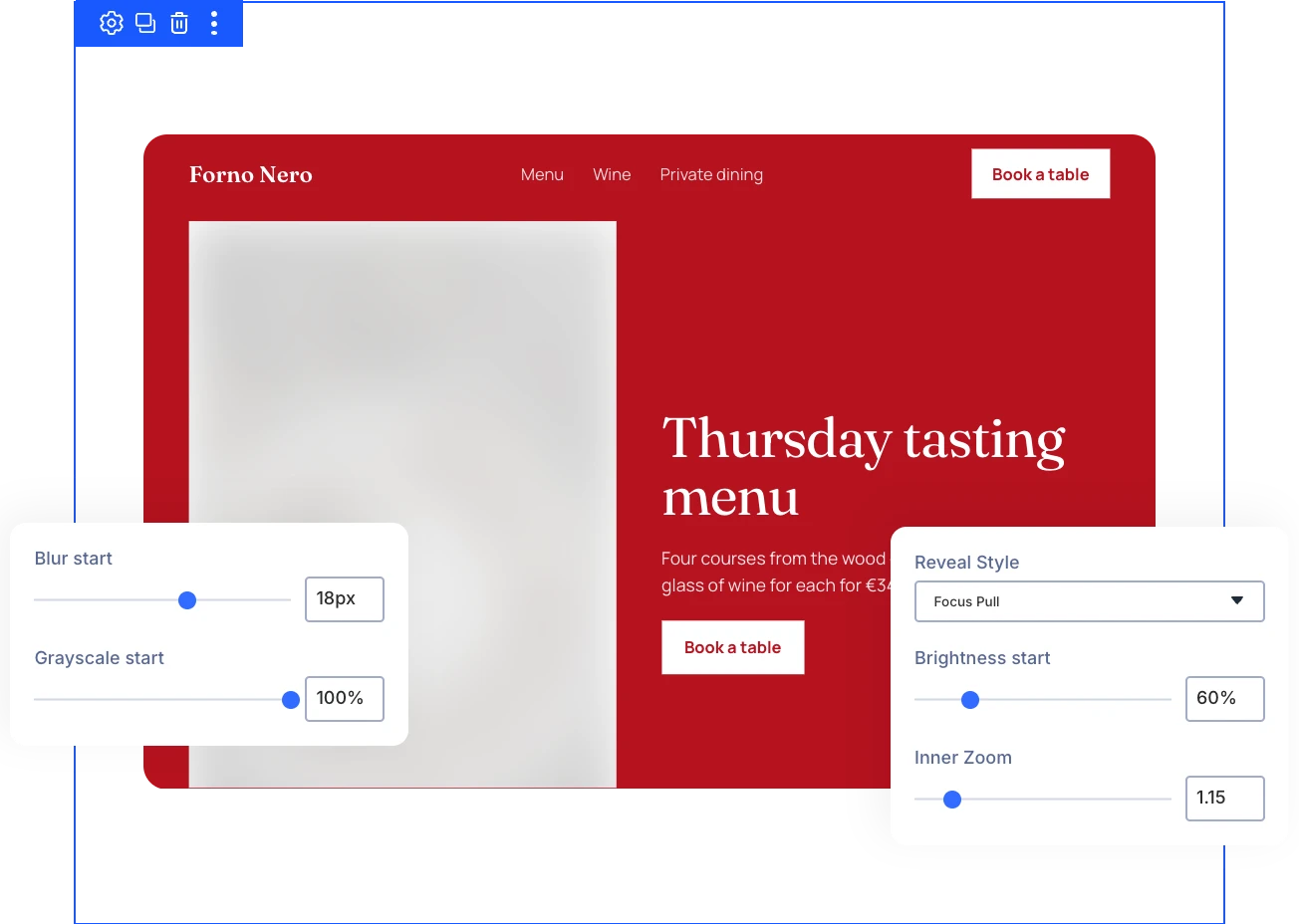
- Start images blurred by up to 30 pixels and let them sharpen as the reveal plays.
- Fade images in from black and white so their full color arrives with the reveal itself.
- Begin darker or brighter, from 20 to 200 percent, and settle to normal brightness.
- Zoom images in at the start and ease them back to full size as they appear.
Time Every Reveal to the Scroll
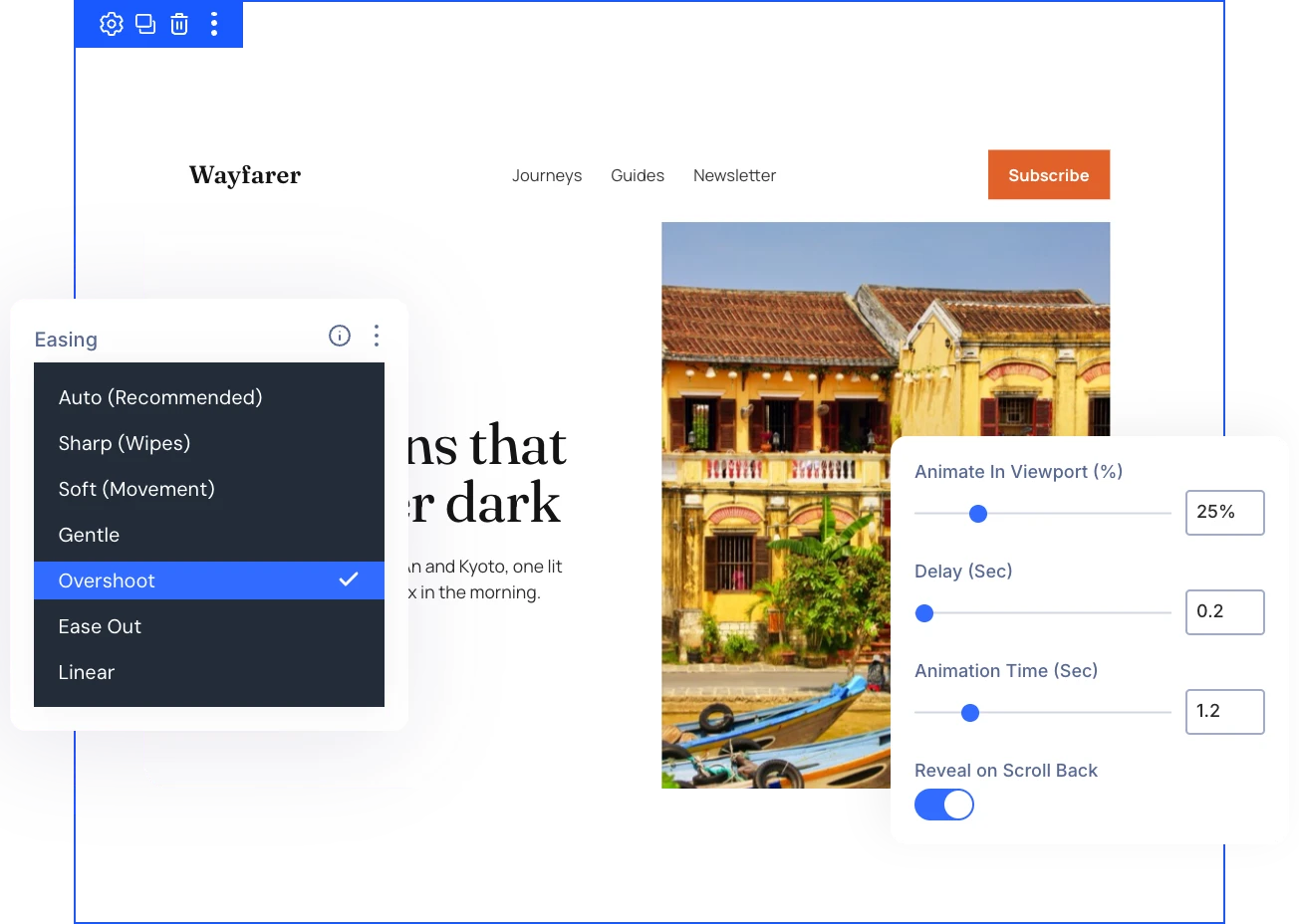
- Start the reveal once a set share of the image, from 1 to 100 percent, is on screen.
- Hold the reveal for up to 5 seconds, then play it over 0.1 to 5 seconds.
- Replay the reveal every time the image scrolls back into view with Reveal on Scroll Back.
- Pick an easing curve such as Overshoot or Gentle, or let each style set its own default.
Keep Every Image Safe for Every Visitor
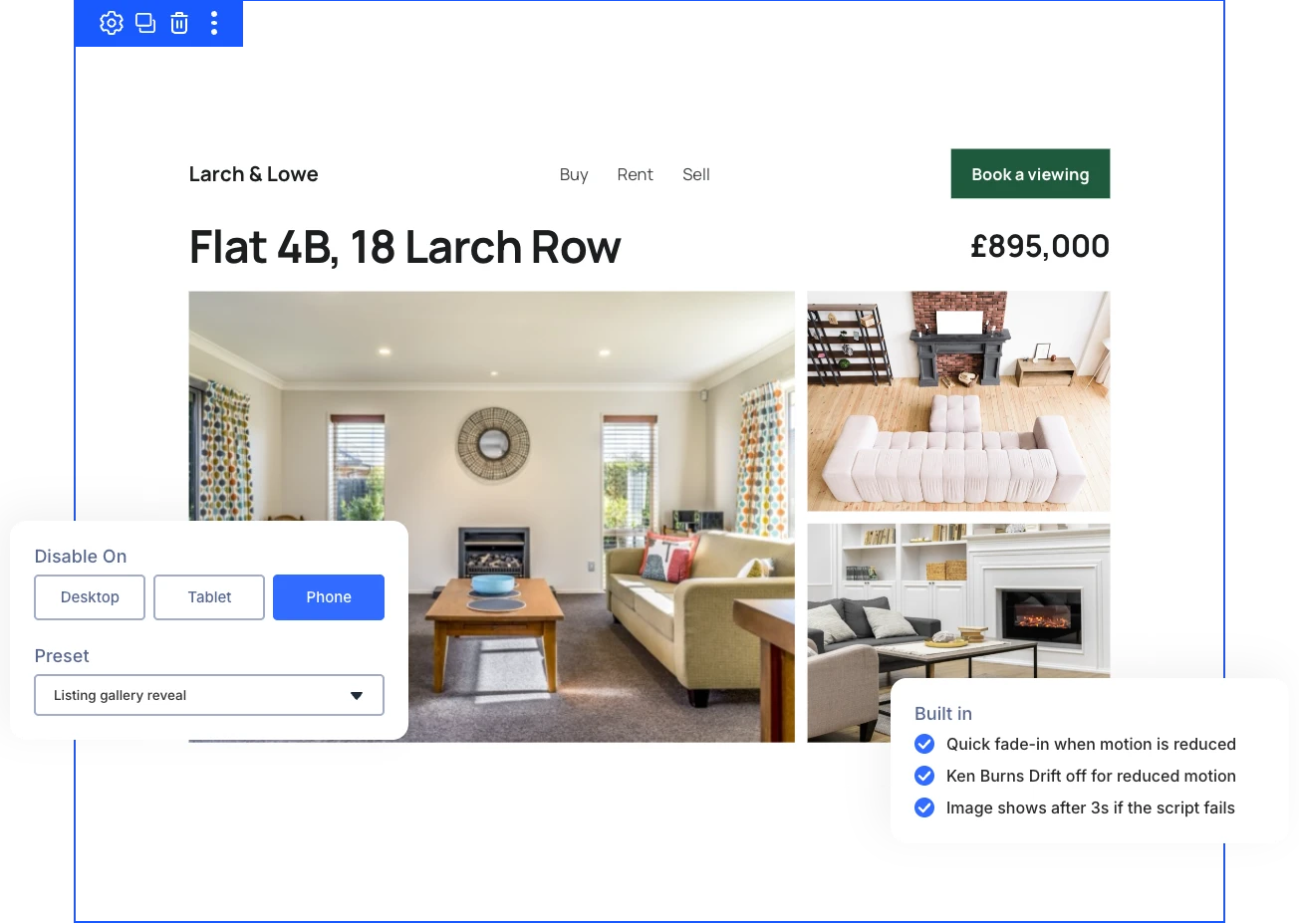
- Turn the reveal off on desktop, tablet, or phone, and show the image normally there.
- Give visitors who reduce motion a quick fade-in, with Ken Burns Drift turned off.
- Show the image after 3 seconds even if the script fails to load, so nothing stays hidden.
- Save reveal settings in a Divi preset and reuse them on any Image module across the site.
DiviMotion Image Reveal vs Divi Image Animation: Which One Gives You More Control?
| Feature | DiviMotion Image Reveal | Divi Image Animation |
|---|---|---|
| Entrance styles |  12 mask, wipe, panel, and tile reveals |  Fade, Slide, Bounce, Zoom, Flip, Fold, and Roll |
| Image effects during the reveal | Starting blur, grayscale, brightness, and inner zoom |  Not part of the entrance animation |
| After the reveal | Ken Burns Drift and replay on scroll back | Plays once or loops |
| Where you set it up | Inside the Image module | Inside the Image module |
Ready to Make Every Image on Your Site Earn a Second Look?
Helpful Resources
Documentation
Divi Vertical Marquee Overview

Video
How to Use Divi Vertical Marquee Module

Coming Soon
Try DiviMotion Risk-Free for 30 Days
Not sure yet? Every DiviMotion plan comes with a 30-day money-back guarantee. Try it on your site, and if it's not the right fit, you get a full refund — no questions asked.
Frequently Asked Questions
Everything you need to know about Image Reveal before you get started.
What Is the Divi Image Reveal?
The Divi Image Reveal is a DiviMotion extension for Divi 5 that animates Divi's own Image module as it scrolls into view, in one of 12 reveal styles.
Which Reveal Styles Are Included?
Line-Led Sweep, Soft Wipe, Counter-Slide Parallax, Iris Expand, Organic Mask Growth, Shape Mask, Cinematic Push, Slat Reveal, Split Doors, Mosaic Dissolve, Skewed Slide-In, and Focus Pull, with Iris Expand as the default.
How Is It Different From DiviFlash's Divi Image Effects?
DiviMotion Image Reveal has 12 styles, including five that Divi Image Effects doesn't offer: Soft Wipe, Shape Mask, Split Doors, Mosaic Dissolve, and Focus Pull. It also adds per-device control and replay on scroll back. If both reveal the same image, DiviMotion steps aside so the animation never plays twice.
Which Version of Divi Does It Require?
Image Reveal requires Divi 5, like every DiviMotion feature.
How Do I Turn On Image Reveal?
Enable Image Reveal under DiviMotion → Extensions in your WordPress dashboard. Then open any Image module, go to Design → Image Reveal, and turn on Enable Reveal Animation.
Which Modules Does Image Reveal Work On?
Image Reveal works on Divi's Image module. Sections, rows, and other modules keep their normal behavior.
Which Styles Support the Image Effects?
Inner Zoom, Blur Start, Grayscale Start, and Brightness Start work with Soft Wipe, Shape Mask, Split Doors, Mosaic Dissolve, and Focus Pull.
What Shows Before the Reveal Starts?
Turn on Blurred Image to show a blurred copy until the reveal begins. With it off, Reveal Color shows instead, white by default, and it also colors the Split Doors panels and Mosaic Dissolve tiles.
What Is Ken Burns Drift?
Ken Burns Drift adds a slow, endless zoom and drift after the reveal finishes. It works with every style, with Drift Zoom from 1.05 to 1.6 and Drift Time from 6 to 40 seconds.
How Fast Should a Hero Image Reveal?
For hero images, an Animation Time of 1.2 seconds or less keeps the reveal responsive, and Bottom to Top is the recommended direction.
How Do I Turn the Reveal Off on Phones?
Use Disable On to switch the reveal off for Desktop, Tablet, or Phone. The image then appears normally on that device.
How Does Image Reveal Handle Reduced Motion?
Visitors who ask their device to reduce motion see a quick fade-in, and Ken Burns Drift turns off. It follows the device setting automatically.