

One of 6 Extensions
Divi Preloader
DiviMotion Preloader replaces the blank white flash and broken, unstyled layout before your page loads with a full-screen animation that fades away the moment your site is ready, giving visitors a branded first impression instead of an empty screen.
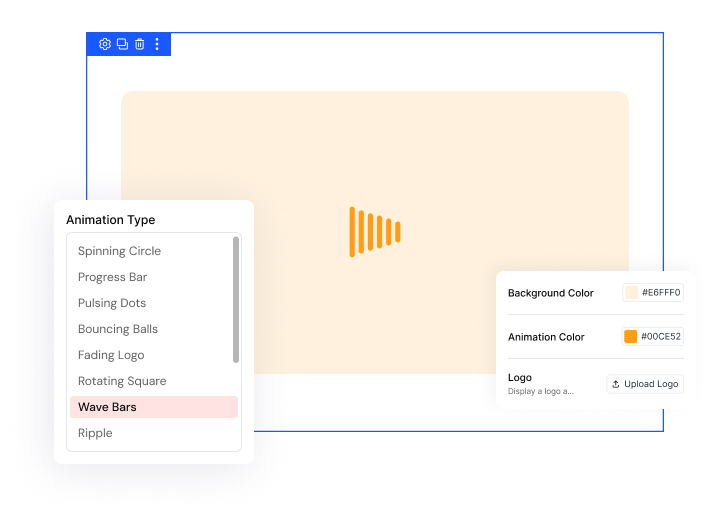
13 Built-In Animations
Spinning Circle, Progress Bar, Pulsing Dots, DNA Helix, and more, ready to switch on without touching a single line of code.
Match Your Brand
Upload your logo, set Background and Animation Color values, and fine-tune every pixel using the dedicated Custom CSS field for a branded look.
Zero Performance Impact
Built with pure CSS animations and a tiny inline script, fading out instantly once your page finishes loading without slowing your site down.
Turn the Wait IntoA Branded Experience Without Slowing Your Site Down
Choose an Animation That Feels Like You
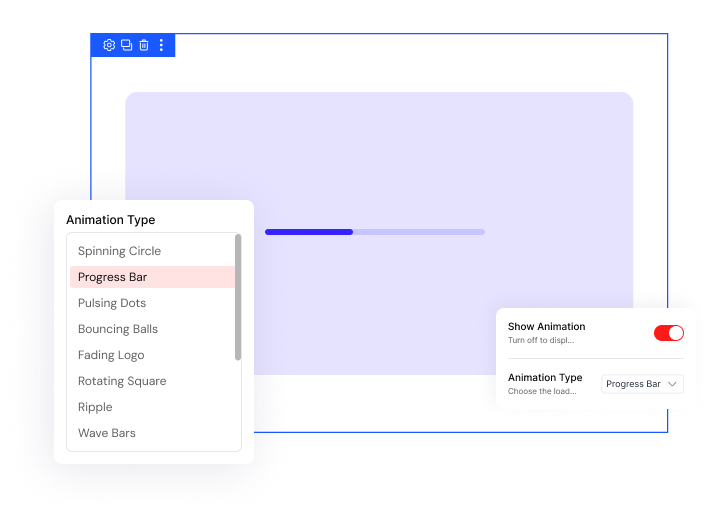
- Switch between 13 built-in animation styles like Spinning Circle and DNA Helix without touching code.
- Turn off Show Animation to display only your logo on a plain colored background while loading.
- Set exact Background and Animation Color values using the built-in color pickers for a perfect match.
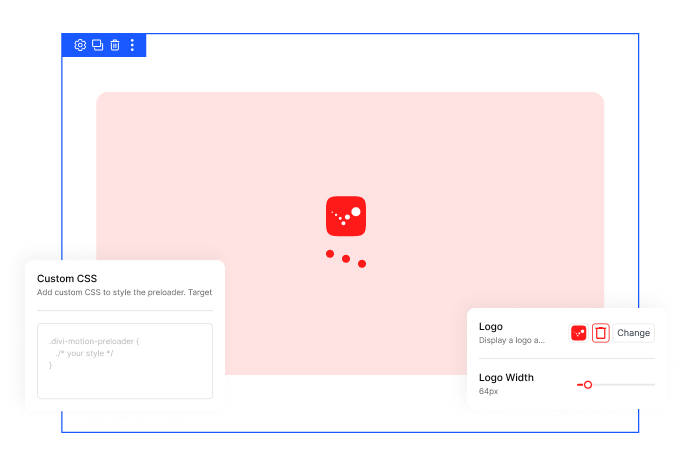
Brand the Loading Screen as Your Own
- Upload your logo directly from the WordPress Media Library, skipping theme files and custom code entirely.
- Resize your logo from 20 to 400 pixels while it fades between 30% and 100% opacity.
- Add Custom CSS to restyle any element inside the preloader overlay beyond the built-in settings.
DiviMotion Preloader vs Default Divi — What Do You Actually Get?
| Feature | DiviMotion Preloader | Default Divi |
|---|---|---|
| Built-in preloader |  13 animations included 13 animations included |  None — Divi ships with no loading screen None — Divi ships with no loading screen |
| Custom background & animation colors | Built-in color pickers | Not available |
| Custom CSS control | Dedicated Custom CSS field | Requires custom child theme work |
| Setup | One global toggle, no code | Requires manual code/child theme |
| Performance impact | Pure CSS animations, tiny inline script, no GSAP | N/A — nothing built in to compare |
| Visual Builder safe | Never renders in the VB | Not available |
Ready to Make the First Second of Your Site Feel Intentional?
Helpful Resources
Documentation
Divi Preloader Extension Overview

Video
How to Use Divi Preloader Extension

Coming Soon
Try DiviMotion Risk-Free for 30 Days
Not sure yet? Every DiviMotion plan comes with a 30-day money-back guarantee. Try it on your site, and if it's not the right fit, you get a full refund — no questions asked.
Frequently Asked Questions
Everything you need to know about Preloader before you get started.
Is Preloader compatible with Divi 5?
Yes. DiviMotion is built specifically for Divi 5. It is not compatible with Divi 4 or earlier.
Do I need to activate anything before using it?
Yes. Enable Preloader once from DiviMotion → Extensions in your WordPress Dashboard, then configure it from there.
Is Preloader GSAP-powered like other DiviMotion features?
No. Preloader uses pure CSS animations instead of GSAP, keeping it lightweight since it loads before anything else on your page.
Do I need to write any code to use it?
No. Every setting — animation style, colors, logo, even Custom CSS — is configured visually from the DiviMotion Dashboard.
Is this a per-page setting or site-wide?
Site-wide. You set it up once in the Dashboard and it applies across your whole site.
Can I show just my logo without an animation?
Yes. Turn off Show Animation and only your logo displays while the page loads.
What happens if I don't upload a logo?
The animation still displays on its own. The logo is optional.
Can I restyle the preloader beyond the built-in settings?
Yes. The Custom CSS field gives you pixel-level control over any element inside the overlay.
Will the preloader slow down my site?
No. It's built with pure CSS animations and a small inline script — no GSAP or ScrollTrigger dependency, and no extra JavaScript libraries load.
Will I see the preloader while editing in the Divi Builder?
No. It's Visual Builder–safe and never renders while you're building.


We offer a 30-day money-back guarantee; so joining is completely risk-free.
Don’t Just Design Divi Sites; Bring Them to Life
a