

One of 6 Extensions
Divi Header Scroll Effects
DiviMotion Scroll Header controls how your site header behaves as visitors scroll. Pin it in place with Sticky, let it slide away and return after a set delay, or bring it back the instant someone scrolls up.
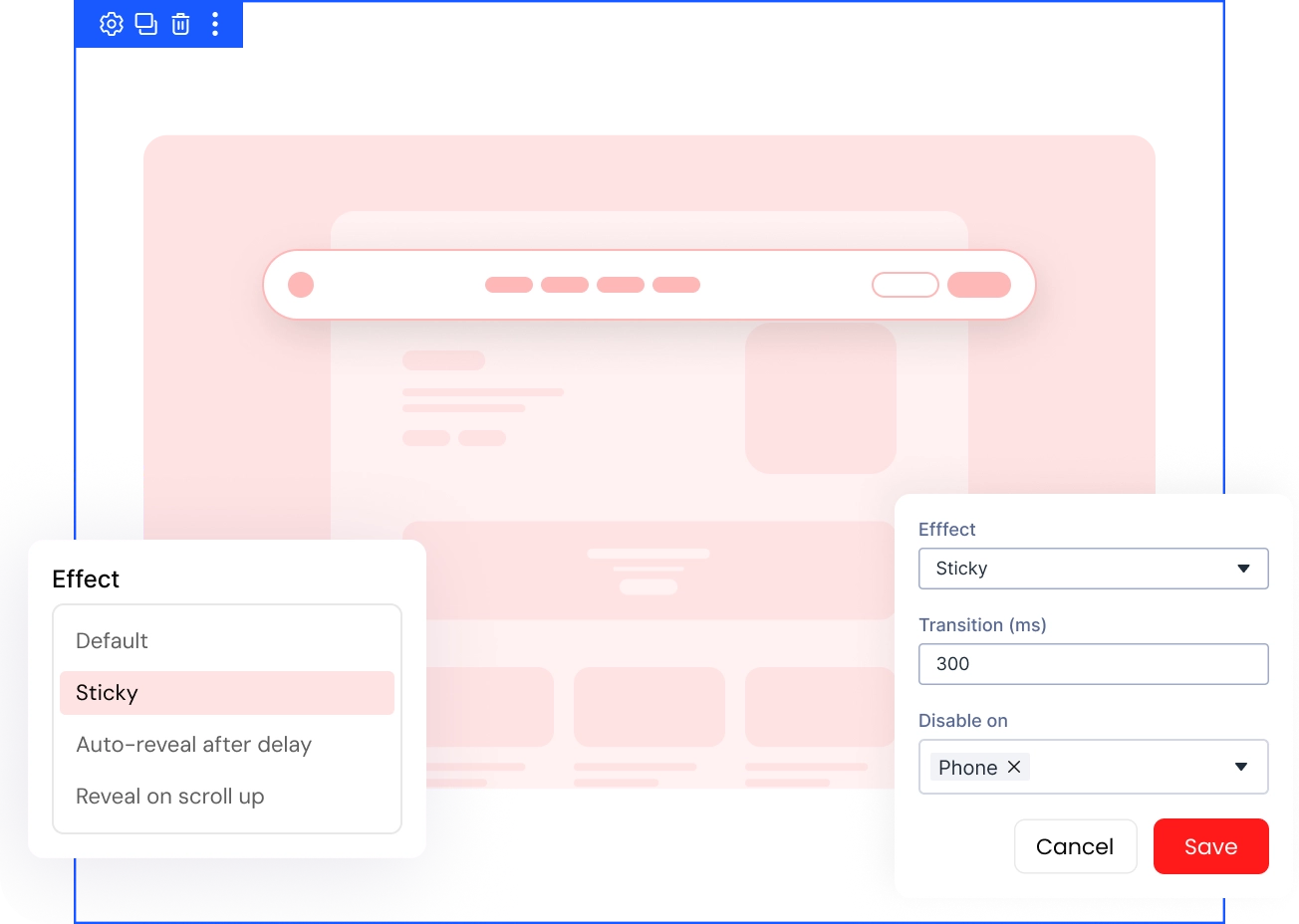
Four Header Effects
Choose Default, Sticky, Auto-reveal After Delay, or Reveal on Scroll Up to control how your header behaves for scroll.
Full Timing Control
Set the transition speed and reveal delay so your header slides in and out exactly when you want it to appear.
Per-Device Effect Control
Turn the effect off on desktop, tablet, or phone, and target a custom header directly with an optional CSS selector of your own.
Give Your Divi HeaderA Behavior for Every Scroll
Pick How Your Header Behaves on Scroll
- Pin the header at the top from load with Sticky, keeping navigation always in reach.
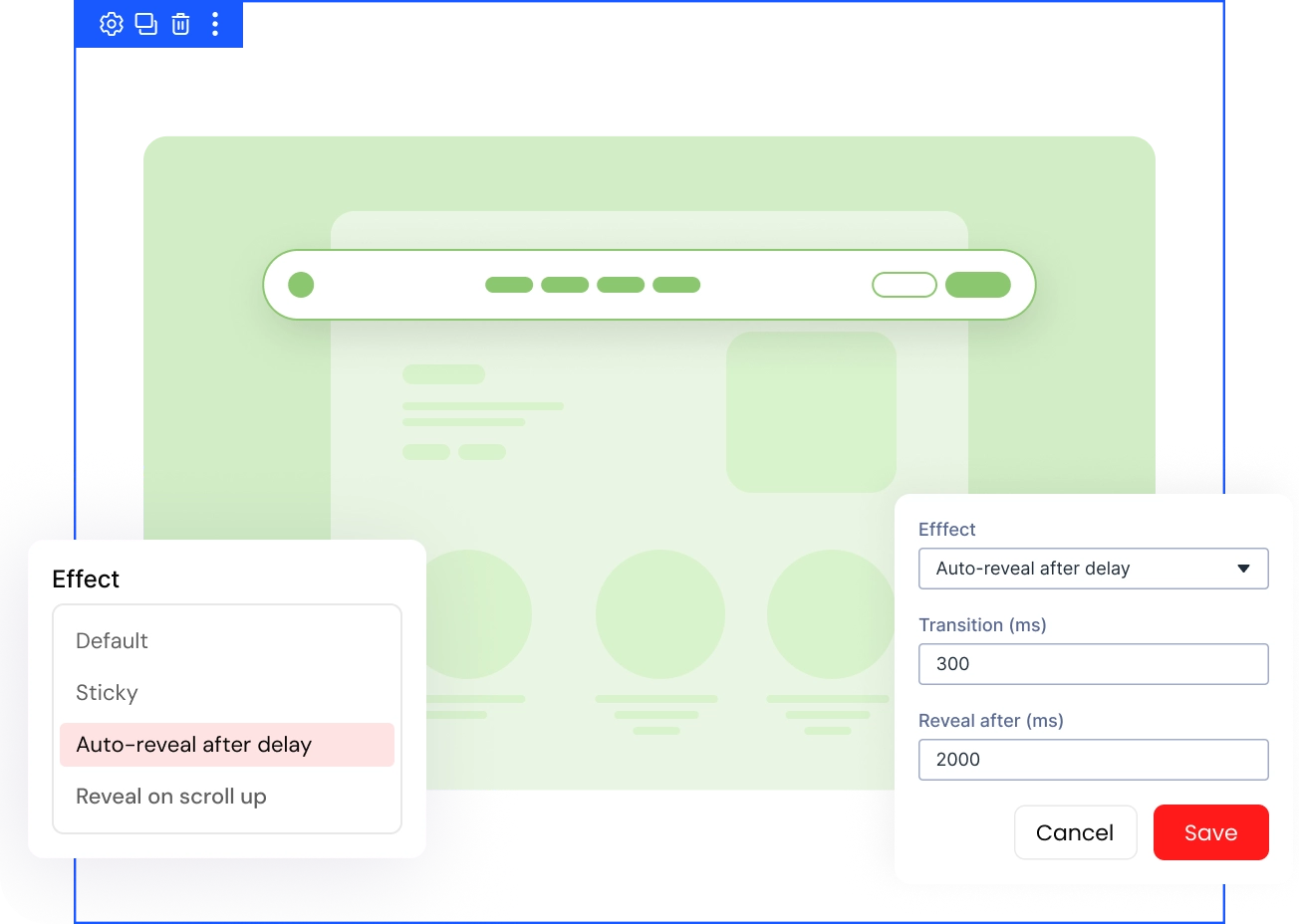
- Auto-reveal After Delay lets the header hide first, then slide back and stay pinned.
- Reveal on Scroll Up hides the header going down and brings it back scrolling up.
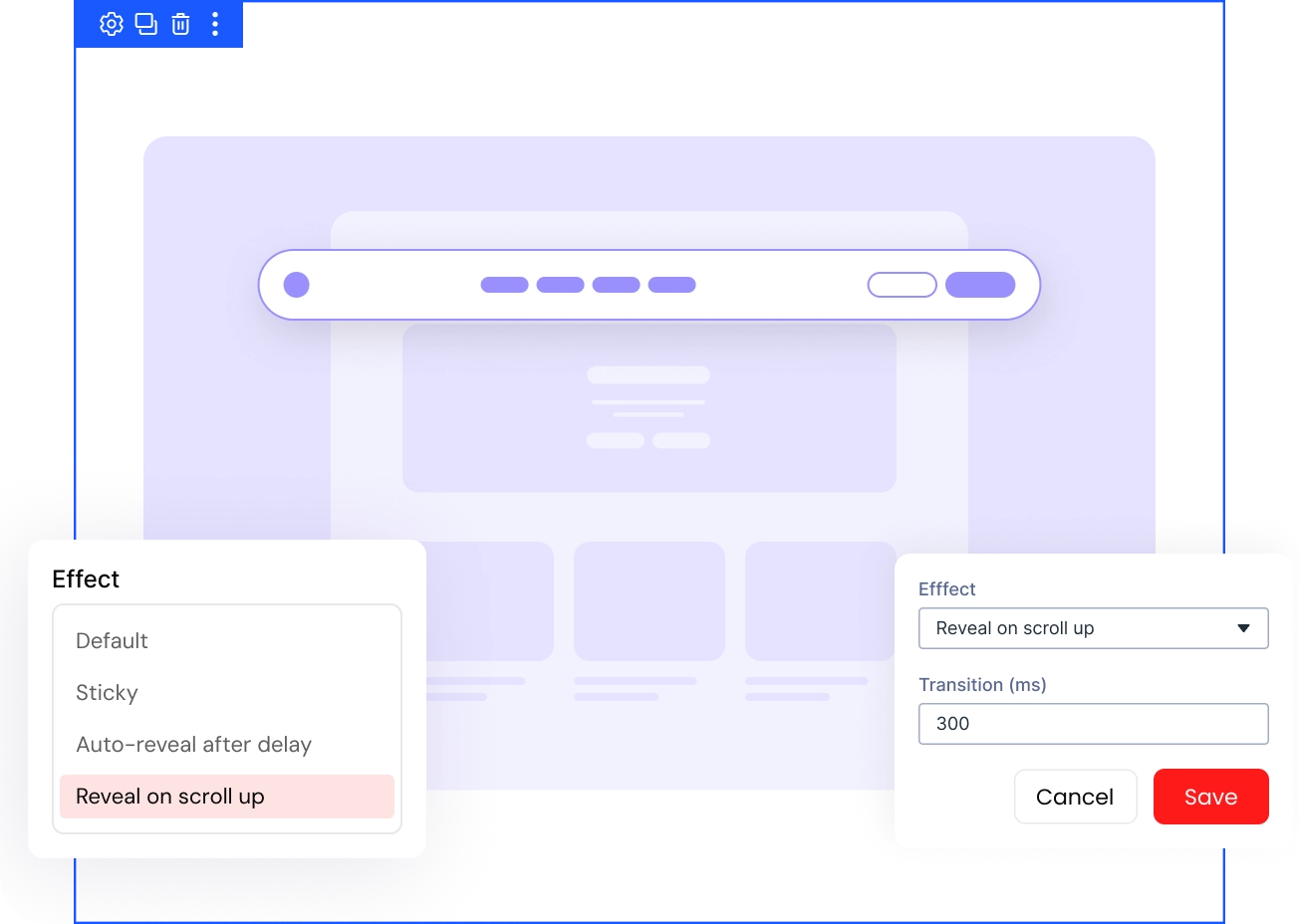
Control Exactly How the Transition Feels
- Adjust Transition from 0 to 2000 milliseconds to make the slide faster or slower.
- Set Reveal After to control how long the header stays hidden before sliding back in.
- Scrolling back near the top cancels any pending reveal before the delay finishes counting down.
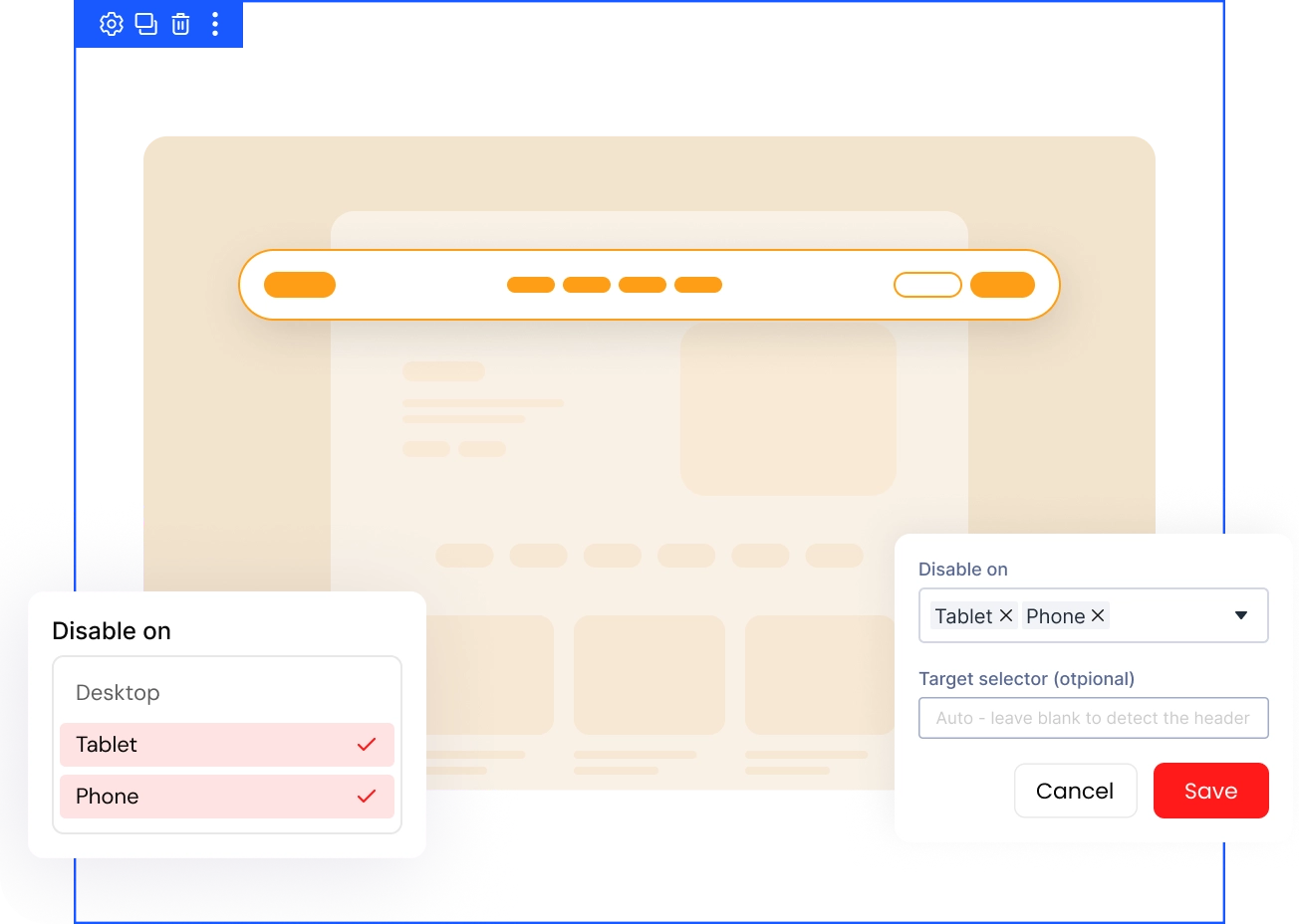
Target the Right Header on Any Device
- Turn the effect off for Desktop, Tablet, or Phone independently at any breakpoint you choose.
- DiviMotion auto-detects both Divi's classic header and Theme Builder global headers.
- An optional Target Selector field lets you point the effect at a custom CSS selector for a heavily customized or third-party header.
DiviMotion Scroll Header vs Default Divi Header— Which One Gives You More Control?
| Feature | DiviMotion Scroll Header | Default Divi Header |
|---|---|---|
| Scroll behavior option |  Sticky, Auto-Reveal After Delay, Reveal on Scroll Up Sticky, Auto-Reveal After Delay, Reveal on Scroll Up |  Scrolls away with the page, no reveal control Scrolls away with the page, no reveal control |
| Per-device control | Independent toggle for Desktop, Tablet, Phone | All-or-nothing, same behavior on every device |
| Transition speed | Adjustable, 0 to 2,000 ms |  Not applicable Not applicable |
| Custom header support | Auto-detects classic and Theme Builder headers, plus a manual selector option | Manual CSS/JS required for any custom behavior |
| Setup | One toggle in the DiviMotion dashboard | Requires custom code for the same effects |
Ready to Control Your Header Behavior to Every Scroll?
Helpful Resources
Documentation
Divi Scroll Header Extension Overview

Video
How to Use Divi Scroll Header Extension

Coming Soon
Try DiviMotion Risk-Free for 30 Days
Not sure yet? Every DiviMotion plan comes with a 30-day money-back guarantee. Try it on your site, and if it's not the right fit, you get a full refund — no questions asked.
Frequently Asked Questions
Everything you need to know about scroll header before you get started.
Does the Scroll Header extension work with my existing Divi header?
Yes. Scroll Header automatically detects both Divi's classic header and Theme Builder global headers, so it works without extra setup on a standard site. If you run a heavily customized or third-party header, add its CSS selector in the optional Target Selector field so DiviMotion knows exactly which element to control.
Do I need to turn anything off before using Scroll Header?
Yes. Turn off Divi's own Fixed Navigation Bar at Divi → Theme Options → General → Fixed Navigation Bar first, or the two settings can conflict.
Is Scroll Header powered by GSAP?
No. Unlike DiviMotion's trigger-and-action animation features, Scroll Header runs on a small, lightweight script built for scroll performance, not GSAP.
Can I turn this off on mobile?
Yes. Use Disable On for Desktop, Tablet, or Phone independently, and the header falls back to your theme's normal behavior on that device.
What's the difference between Sticky and Reveal on Scroll Up?
Sticky stays pinned the whole time. Reveal on Scroll Up hides the header on the way down and reappears only once a visitor scrolls back up.


We offer a 30-day money-back guarantee; so joining is completely risk-free.
Don’t Just Design Divi Sites; Bring Them to Life
a