


Around 2 million websites are built using the Divi theme and builder. And after the launch of Divi 5, building responsive websites has become easier than ever. However, when you look at the modern, high-performing Divi websites, they usually are not built using only the default Divi builder.
Professional Divi sites often rely on dedicated Divi plugins or custom code to extend the builder’s capabilities. These plugins add advanced features such as interactive sliders, animations, pop-ups, styled blog layouts, custom post displays, product carousels, and dynamic content elements that are not available in the default Divi modules.
The good news is with the right Divi plugins, you can enhance your site functionality much faster using ready-made modules and pre-built templates without any coding.
In this guide, we’ll explore 12 of the best Divi plugins that can help you build a pro level Divi website for a business website, portfolio, blog, or WooCommerce store even if you're a beginner.
So, let’s get started.
Quick Comparison Table for Best Divi Plugins in 2026
Here’s the short comparison DiVi plugins table of our top pick for you to get a quick glance of what you need first for your site.
| Plugin | Best For | Key Features | Pricing |
| DiviMotion | All types of Divi animations | 4 interaction types, 16+ built-in actions, 35+ animation properties, 20+ animation templates | $49/yr |
| DiviFlash | All-in-one Divi design & functionality | 80+ modules, 20+ extensions, 50+ layouts, 800+ sections, WooCommerce support, Mega Menu, Popup Builder, ACF integration | $49/yr |
| DiviMerc | WooCommerce customization | Product galleries, variation swatches, Add to Cart, badges, stock tools, 3D media | $49/yr |
| DiviGear Carousel | Interactive sliders & carousels | 50+ templates, 3D coverflow, multi-row layouts, RTL support, autoplay, lazy loading | $15/Lifetime |
| DiviGear Popup | Styling popups for dedicated conversions | 6 trigger types, 9 placements, 8 animations, user-role targeting, cookie control, ready-made templates | $39/Lifetime |
| DiviGear Table | Full Responsive all regular & Data table | Table & Data Table modules, CSV/Google Sheets import, search, filtering, pagination, cell merging | $39/Lifetime |
| DiviGear Gallery | Image galleries using grid & layouts | Grid, Masonry, Justified & Packery layouts, category filters, lightbox, Ajax load more | $39/Lifetime |
| DiviGear CPT | Custom post type layouts | CPT Grid, Filterable CPT & Carousel modules, taxonomy filters, ACF support, animations | $49/Lifetime |
| DiviGear Tabs | Interactive tabbed content | Horizontal & vertical tabs, shortcode support, 22+ layouts, sticky navigation, 8 animations | $25/Lifetime |
| DiviGear Heading | Advanced and animated headings | Gradient text, text masks, stacked headings, 9 animations, divider styling | $29/Lifetime |
| DiviGear Product Carousel | WooCommerce product sliders | 3D transitions, product category display, add-to-cart in slider, hover effects | $19/Lifetime |
| DiviGear Blog Carousel | Blog post sliders | 3D coverflow, autoplay sliders, responsive controls, customizable post elements | $19/Lifetime |
| DiviGear Blog | Customizable blog layouts | Grid, Masonry & List layouts, 45+ templates, post sorting options, responsive columns | $25/Lifetime |
Now, let’s jump into the details.
DiviMotion – Best Divi Animation Plugin
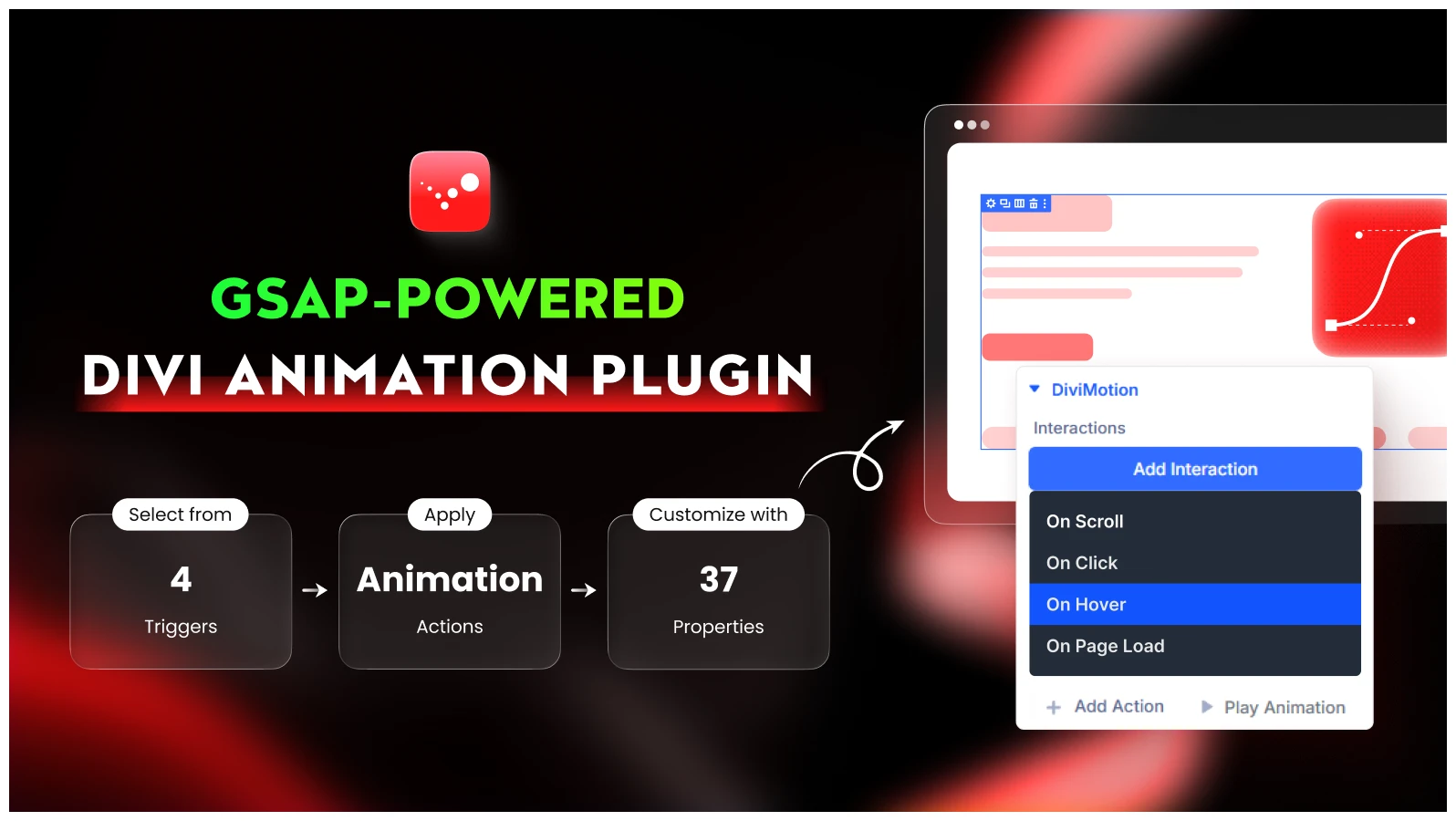
DiviMotion is a WordPress animation plugin built exclusively for Divi and powered by GSAP. It enables all types of web animations such as hover effects, transitions, scroll-triggered animations, page-load transitions, element triggers, time-based motion, and sequence animations. This plugin lets you animate any row, module, section, column, or nested element.
You can use it to build interactive landing pages, eCommerce product showcases, portfolio sections, testimonials, and storytelling layouts.
DiviMotion is also easy to use inside the native Divi visual builder. You select the element you want to animate and apply pre-built animation actions. If you want more control, you also create custom motion effects with advanced time, sequence and easing control.
Key Features of DiviMotion
- Six animation types ranging from basic transitions to advanced motion effects
- Create multiple animations for one element based on user interactions
- 20+ easing options for animation speed control
- Extensions like Timeline, horizontal scroll, card stack and card deck
- Multiple module supports like DrawSVG, Scramble text and more.
- Device-specific animation controls for desktop, tablet, and mobile screens
Alternative
DiviMotion is one of the few dedicated Divi animation plugins built specifically for advanced GSAP-powered motion effects.
Pricing
DiviMotion pricing starts from $49 per year for a single website, $79 for unlimited sites. You’ll get lifetime access to DiviMotion from only $149.
Note: We have a detailed guide on How to Create Animated Website with Divi.
DiviFlash – Best All-in-One Divi Site Builder Plugin
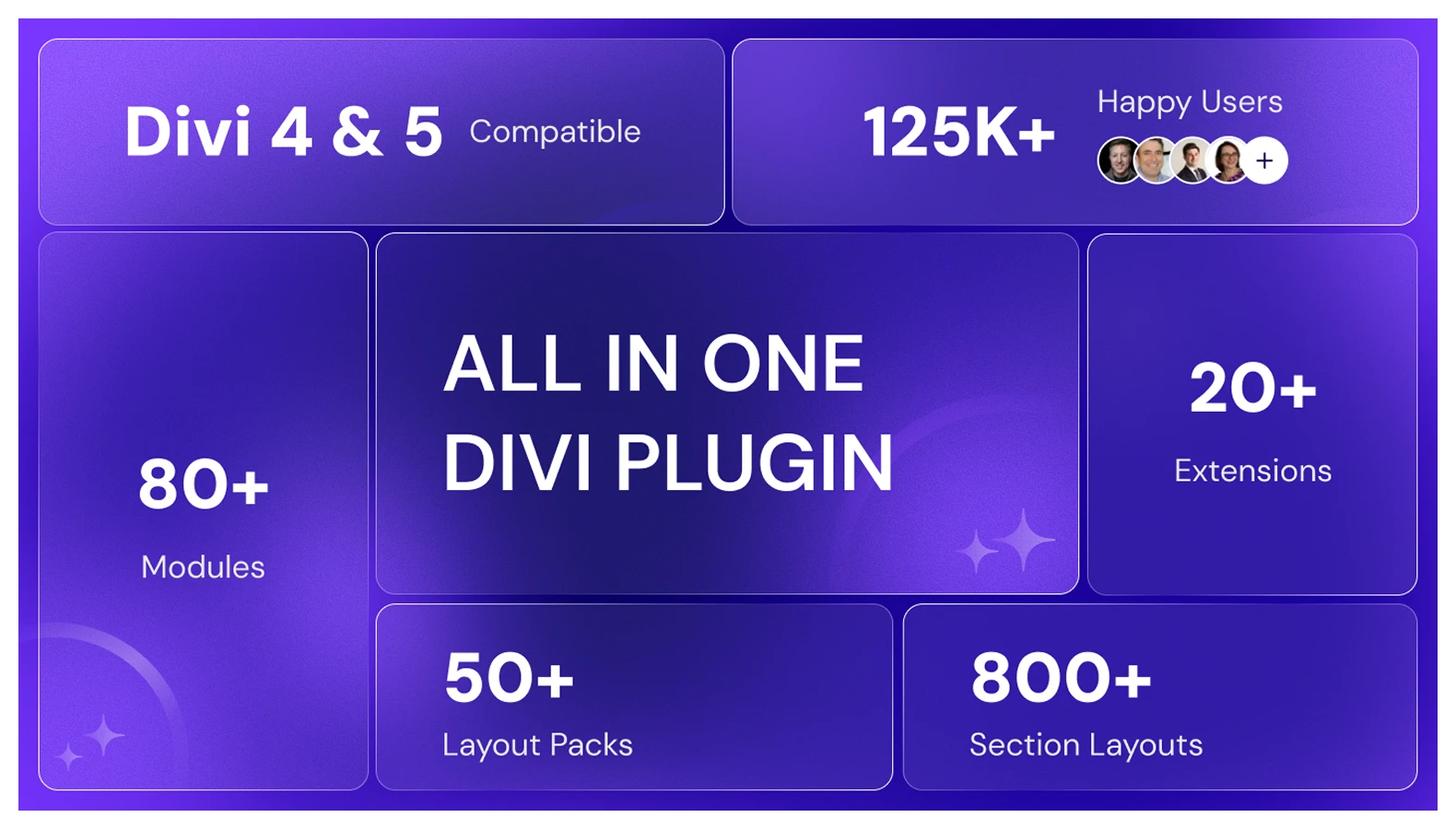
DiviFlash is an all-in-one Divi plugin that expands the Divi Builder with 80+ custom modules, 20+ extensions, 50+ full website layouts, and 800+ section templates. It also helps you create pop-ups, mega menus, and every other site building feature you need that go beyond what the default Divi builder offers.
With DiviFlash, you can build any website along with WooCommerce stores using dedicated modules or pre designed site layout with full customization. The plugin works smoothly with the Divi ecosystem and also integrates WooCommerce features for your ecommerce store.
If you want one plugin for complete Divi site building, DiviFlash is your all-in-one solution. Instead of using separate plugins for sliders, advanced modules, UI elements, or WooCommerce modules, you can build a professional level site using just Divi + DiviFlash.
Key Features of DiviFlash
- 80+ advanced Divi modules in 10 categories like marketing, SEO, WooCommerce
- WooCommerce modules like product grid and product carousel
- Full site layout importer with one click for faster page building
- Advanced file support like SVG, JSON and Spline within Divi builder
- Fully compatible with Divi 4 and Divi 5
- Modular approach to enable only the features (module, extension ) you need
- Divi 5 only modules with advanced features and performance.
Alternatives
- Divi Supreme
- Divi Plus
Pricing
DiviFlash pricing starts from $49 per year for a single website, with higher-tier plans available for multiple websites and lifetime access up to $299 for unlimited websites.
DiviMerc - Best Divi Plugin for WooCommerce
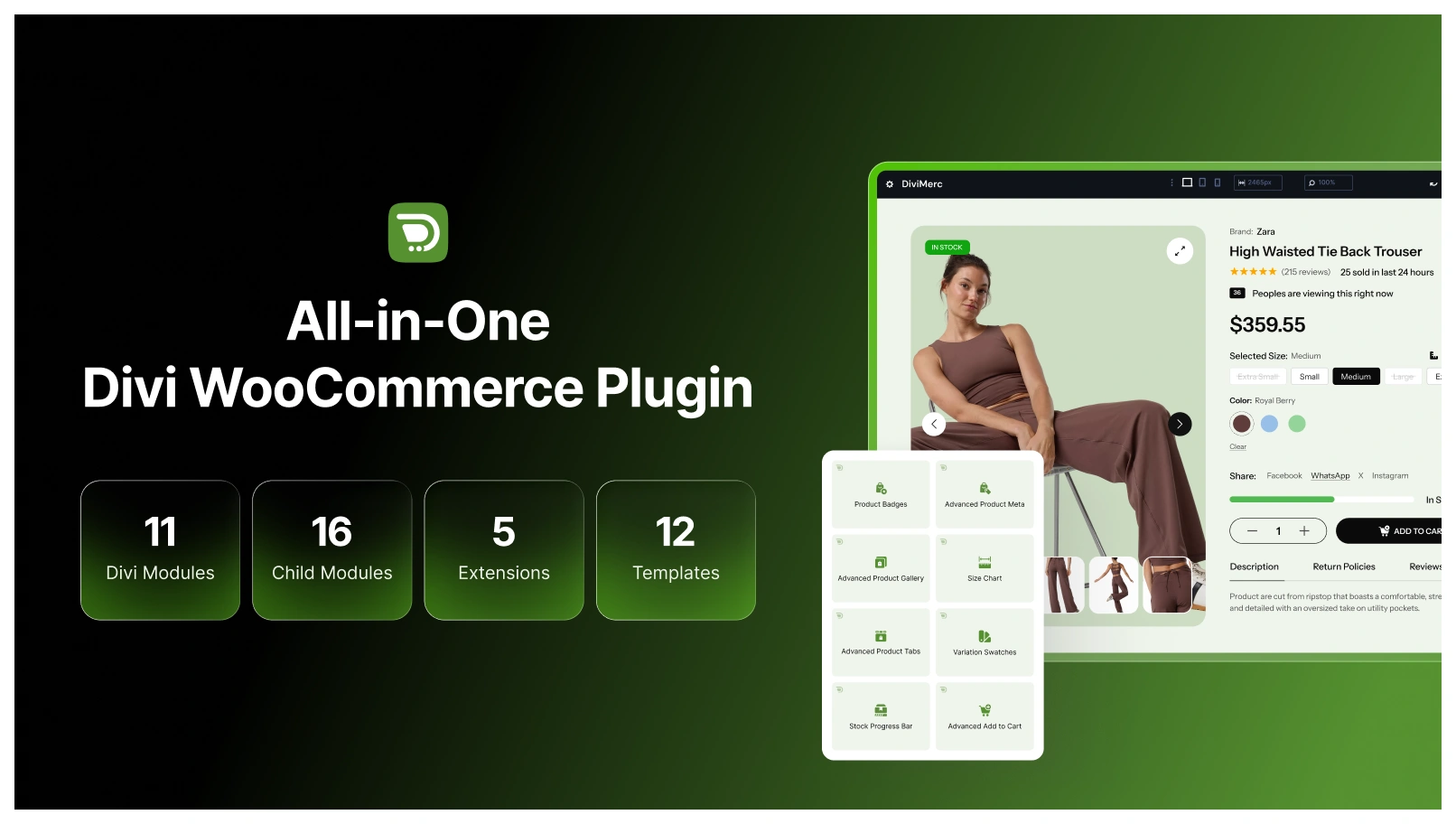
DiviMerc is a WooCommerce-focused plugin built for Divi users who want more control over their product pages. It adds dedicated modules and extensions for product galleries, variation swatches, Add to Cart sections, product information, badges, size charts and more.
Compared with Divi’s basic WooCommerce modules, DiviMerc gives you more flexibility over how products look and work. You can replace standard variation dropdowns with visual swatches, create gallery layouts using thumbnails, grids, or stacked images, and add conditional product badges.
It also lets you customize Add to Cart areas and display product details, making it a practical choice for building more advanced WooCommerce product pages with Divi.
Key Features
- Advanced product galleries with thumbnail, grid, stacked, and other layouts
- Variation swatches using colors, images, buttons, radio buttons, and more
- Custom Add to Cart layouts for different WooCommerce product types
- Product badges for Sale, New, Best Seller, Low Stock, and other conditions
- Size charts with inline, popup, drawer, and accordion displays
- Product meta for SKU, categories, tags, ratings, dimensions, and stock
- Product videos and GLB/glTF 3D models inside product galleries
- Stock progress bars using WooCommerce stock data
- Product sharing options for popular social platforms
- Custom WooCommerce product tab support
Alternatives
- Divi BodyCommerce
- Woo Essential
Pricing
DiviMerc offers both yearly and lifetime plans. Yearly pricing starts at $49 for a single site or $79 for unlimited sites, while lifetime plans cost $149 for one site and $249 for unlimited sites.
DiviGear Carousel – Best Divi Plugin for Stunning Sliders & Carousels
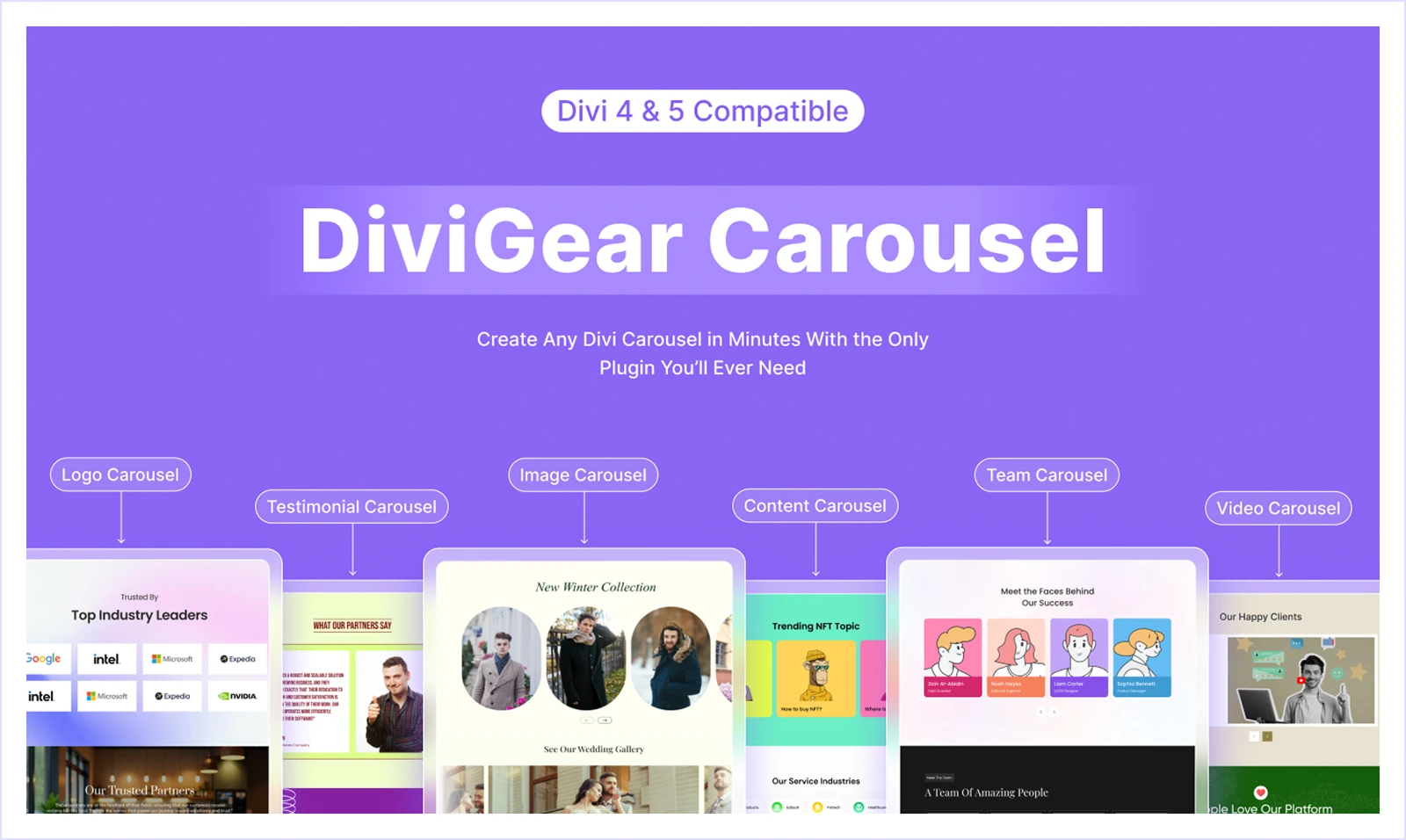
DiviGear Carousel is a Divi slider and carousel plugin to display carousel styles for logo, images, video, team, content testimonials and more.
While the default Divi Builder includes a group carousel module, it works mostly as a basic content slider with limited styling and customization options. DiviGear Carousel expands these capabilities with multi-item sliders, responsive carousels, autoplay sliders, image/video light box, and many other styles.
DiviGear Carousel offers modern pre-built templates for custom sliders with mixing sliding effects and modes to create any regular or 3D coverflow slider effects.
This plugin is particularly useful for websites that rely on visual presentation and content highlights for testimonial carousels, blog post sliders, portfolio showcases, and more.
Key Features
- 50+ pre designed carousel templates for quick and easy setup.
- Autoplay, navigation arrows, and pagination controls
- RTL support for multilingual sites
- Touch and swipe support for mobile devices
- Adjustable carousel speed, spacing, and slide behavior
- Animation icons for video popups.
Alternatives
- Divi Supreme Carousel
- DiviFlash Carousel Modules
Pricing
DiviGear Carousel is a premium Divi plugin, with lifetime pricing starting at $15 for a single website and $29 for unlimited websites.
DiviGear Popup – Best Divi Plugin for High-Converting Popups
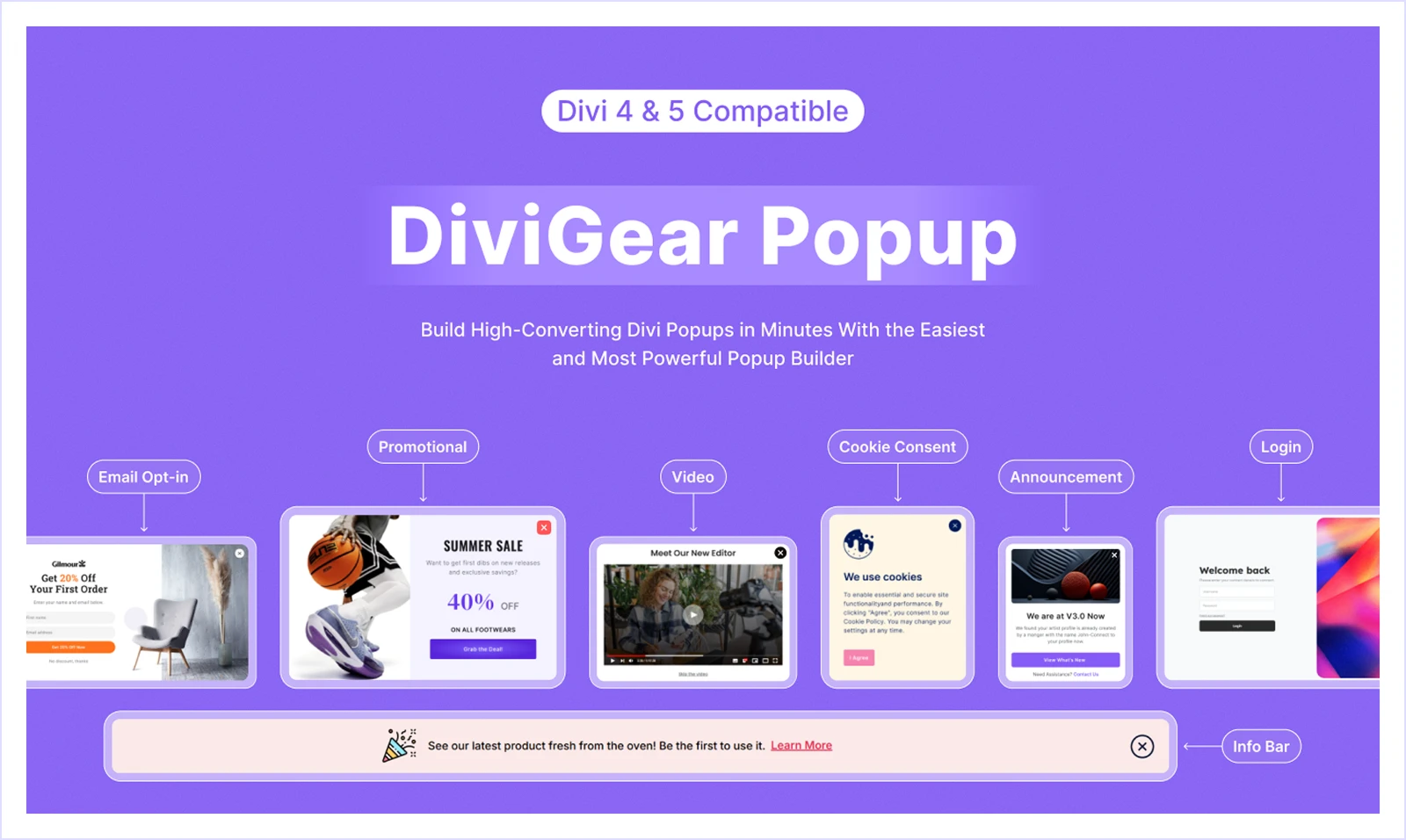
DiviGear Popup is a Divi popup builder plugin to design popups with highest conversion potential for email opt-ins, promotions, announcements, and lead capture.
Where Divi doesn’t offer a popup option by default, DiviGear Popup lets you to display targeted popups based on different triggers and conditions like user behavior such as exit intent, time delay, scroll position, or button clicks.
It uses the same drag-and-drop interface you already use for building Divi pages and uses any Divi modules to design. There’re also pre made popup layouts to speed up the process.
This popup plugin is best for websites focused on marketing and conversions. You can create email subscription popups, discount offer popups, product announcements, or newsletter signup forms with any Divi and other 3rd party modules.
Key Features
- 6 trigger options including click, page load, scroll, exit intent, inactivity, and element reach.
- 9 popup placement positions to display popups where they attract the most attention
- Multiple display conditions based on pages, posts, user roles, devices, and schedules
- 8 smooth animation styles for popup entrance and exit effects
- Cookie-based frequency control to prevent showing the same popup repeatedly
- Targeting options to display popups on specific pages
Alternatives
- Bloom
- Popup Maker
Pricing
DiviGear Popup starts from $39 for 3 sites and $69 for unlimited sites both in lifetime plans.
DiviGear Table – Best Divi Plugin for Responsive Tables & Data Display
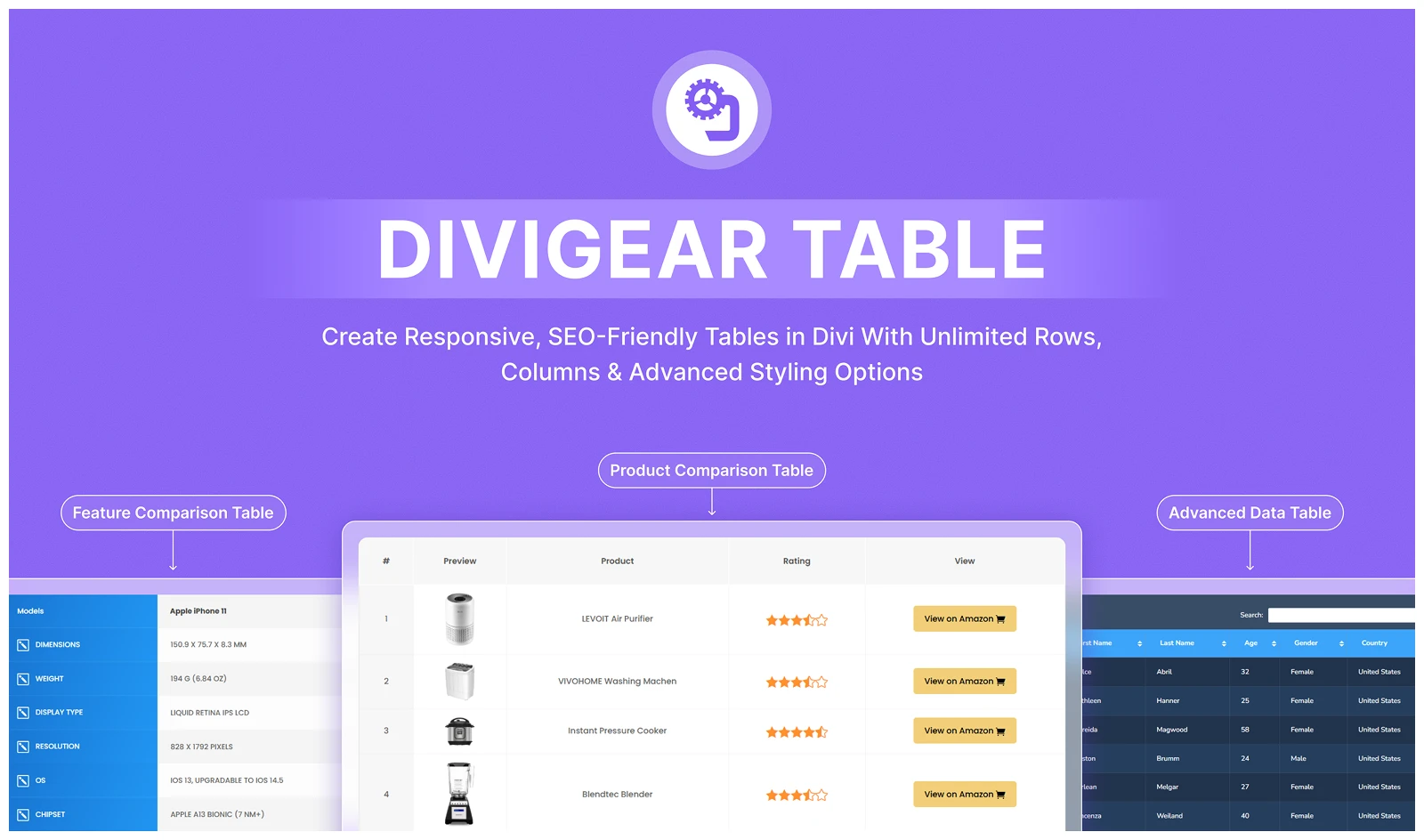
DiviGear Table is a Divi table builder plugin that adds two dedicated table modules inside the Divi Builder. One is a Regular Table module for creating pricing tables, comparison tables, or feature lists.
The other is a Data Table module, designed for displaying large product datasets with dynamically imported data from CSV files or Google Sheets.
With the default Divi builder, you only get the basic pricing table module. But the Divigear table includes data Table Module with sort, search, order and other filtering options and the regular table with more elements like icon, badges, ratings, etc.
In addition to that, DiviGear Table offers advanced table management options such as cell merging, pagination, and responsive layouts for different screen sizes.
You also get extensive styling options, including table borders, shadows, colors, alignment, header/footer and more to match the table with overall site design.
Key Features
- Two table modules: Regular tables and dynamic data tables.
- Free pre-built, reusable table section design for faster table building.
- Full control over every table section like header,footer, row, column.
- Easy visual editing with standard HTML table elements directly in the Divi Builder
- Activate responsive table mode that adapt smoothly across desktop, tablet, and mobile
- Smart multilingual support for translated websites and multi-language content
- SEO-friendly table structure using proper HTML table tags for better indexing
Alternatives
- TablePress
- Ninja Tables
Pricing
DiviGear Table starts from $39 for 3 sites and $69 for unlimited sites both in lifetime plans.
DiviGear Gallery – Best Divi Plugin for Stunning Image Galleries
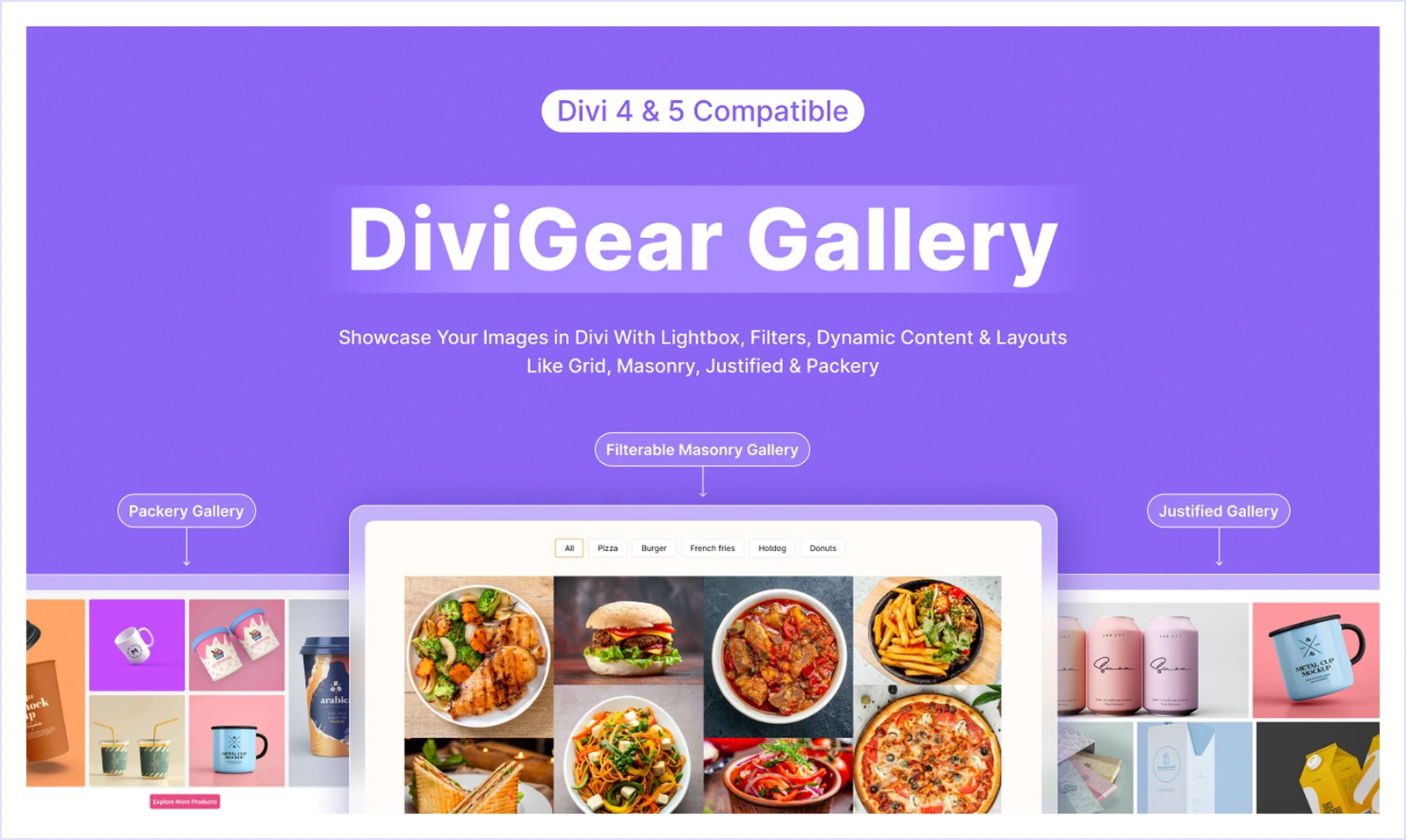
DiviGear Gallery is an image gallery builder plugin for Divi that allows you to create responsive image galleries with extensive customization options and multiple gallery styles. The DiviGear Gallery module includes three dedicated gallery modules, each designed for different display styles:
- Advanced Divi Gallery – Create galleries using grid and masonry layouts.
- Divi Justified Gallery – Showcase images in their original dimensions with balanced rows.
- Divi Packery Gallery – Build modern galleries using pre-designed stylish packery layouts.
You get flexible image showcasing options such as category-based filtering, ascending or descending image order, and customizable filter buttons with DiviGear Gallery. Even when using pre-made layouts, you still have full design control to adjust layout structure, spacing, and styling to match your website design.
Key Features
- Fully adjustable gallery columns and row structure with custom image sizing
- Support for up to 8 columns with adjustable spacing and device-specific layouts
- AJAX-powered “Load More” button for smooth infinite image loading
- Display images in their original dimensions or control row height
- Automatic image width and spacing adjustment for responsive layouts
- Custom typography, hover effects, and lightbox display for image viewing
- Animated titles and descriptions for more engaging image presentation
Alternatives
- Divi Gallery Extended
- Divi Pro Gallery
Pricing
DiviGear Gallery pricing starts from $39 for 3 sites, and $69 for unlimited sites for lifetime.
DiviGear CPT – Best Divi Plugin for Custom Post Type Layouts
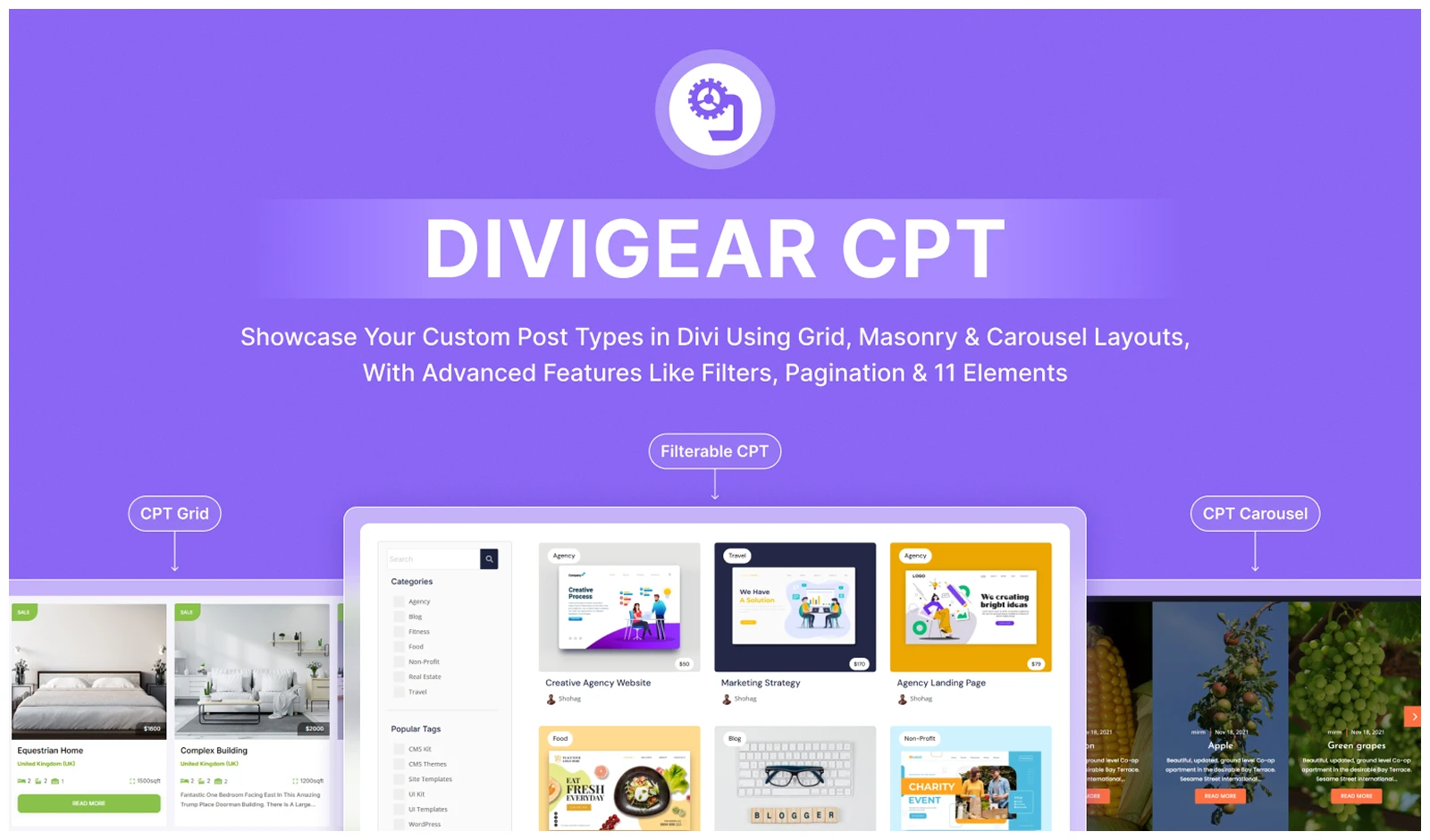
DiviGear CPT is a Divi custom post type layout plugin that works with all existing and any post types, including blogs, projects, portfolios, or any custom content you create. It also includes an interactive taxonomy filter allowing visitors to easily navigate posts with filter, dropdown, or search by category, tags and other conditions.
DiviGear CPT includes three dedicated Divi modules to display and manage any custom post content:
- Divi CPT Grid – Display posts in a structured grid layout.
- Divi Filter with CPT – Add interactive taxonomy filters for better post navigation.
- Divi CPT Carousel – Showcase posts in a smooth, interactive carousel layout.
DiviGear CPT allows you to display 11 different dynamic content elements from your posts, such as featured images, titles, content excerpts, and metadata. So, you can showcase your posts in a custom style with the most important content data.
This plugin is particularly useful for websites that rely on custom content structures like portfolio grids, project showcases, blog archives, or service listings with interactive filters. You can also enhance post displays with image or title animations, along with Load More buttons and pagination controls over how your post types appear on the site.
Key Features
- 11 unique post elements for flexible post layout design
- Advanced filtering options with AND/OR conditions, search, and dropdown filters
- ACF (Advanced Custom Fields) compatibility to display custom field data
- AJAX Load More and multiple pagination options for smoother post navigation
- 20+ ready-to-use section layouts for faster page building
- Smooth animations including image scroll effects, overlays, and carousel transitions
Alternatives
No single alternative plugin matches all the features of DiViGear CPT.
Pricing
DiviGear CPT pricing starts from $49 for 3 sites, and $99 for unlimited sites for lifetime.
DiviGear Tabs – Best Divi Plugin for Interactive Tabbed Content
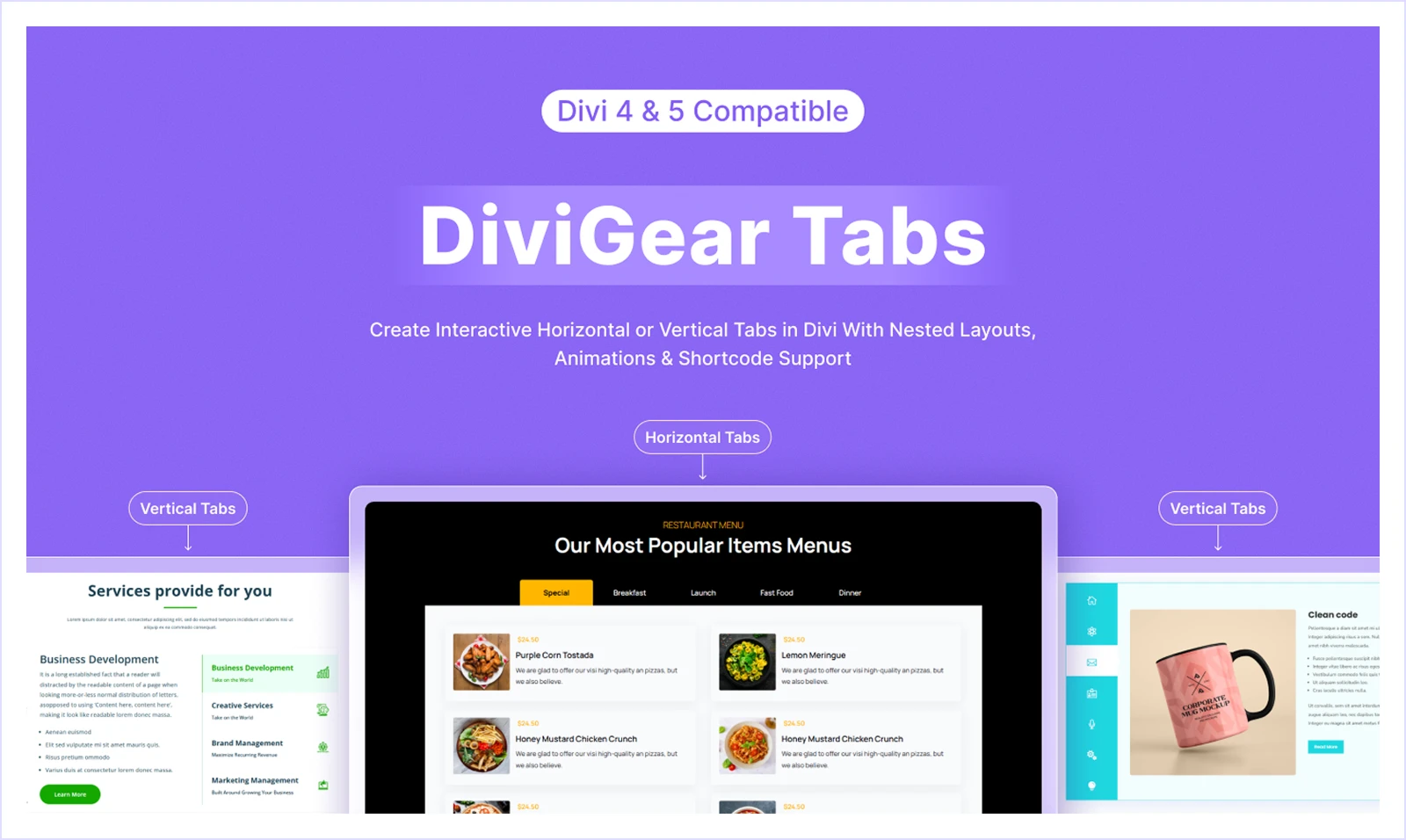
DiviGear Tabs makes it possible to display multiple categories of information such as images, text, videos, in both horizontal and vertical tab formats to easily navigate without scrolling through long pages.
While the default Divi Tabs module provides a basic tab structure with simple horizontal tabs with limited layout and styling options. DiviGear Tabs extends this capability with 100+ advanced customization options, 20+ ready-made tab layouts, 20+ flexible design controls, to easily structure different types of content with proper visibility.
A standout feature of DiviGear Tabs is the built-in Divi Shortcode Extension, which allows you to insert any saved Divi Library item directly inside a tab even in a non Divi page.
Key Features
- Horizontal and vertical tab layouts for different page structures
- Sticky tab navigation for better content browsing
- Built-in Divi Shortcode Extension to insert Divi Library items inside tabs
- Support for any Divi module or custom content inside tabs
- Fully responsive tab layouts for desktop, tablet, and mobile
- 20+ Custom styling controls for colors, spacing, and typography
Alternatives
- Divi Tabs Maker
- Divi SuperTabs
Pricing
DiviGear Tabs pricing starts with $25 for 3 and $39 for unlimited websites for lifetime.
DiviGear Heading – Best Divi Plugin for Advanced & Animated Headings
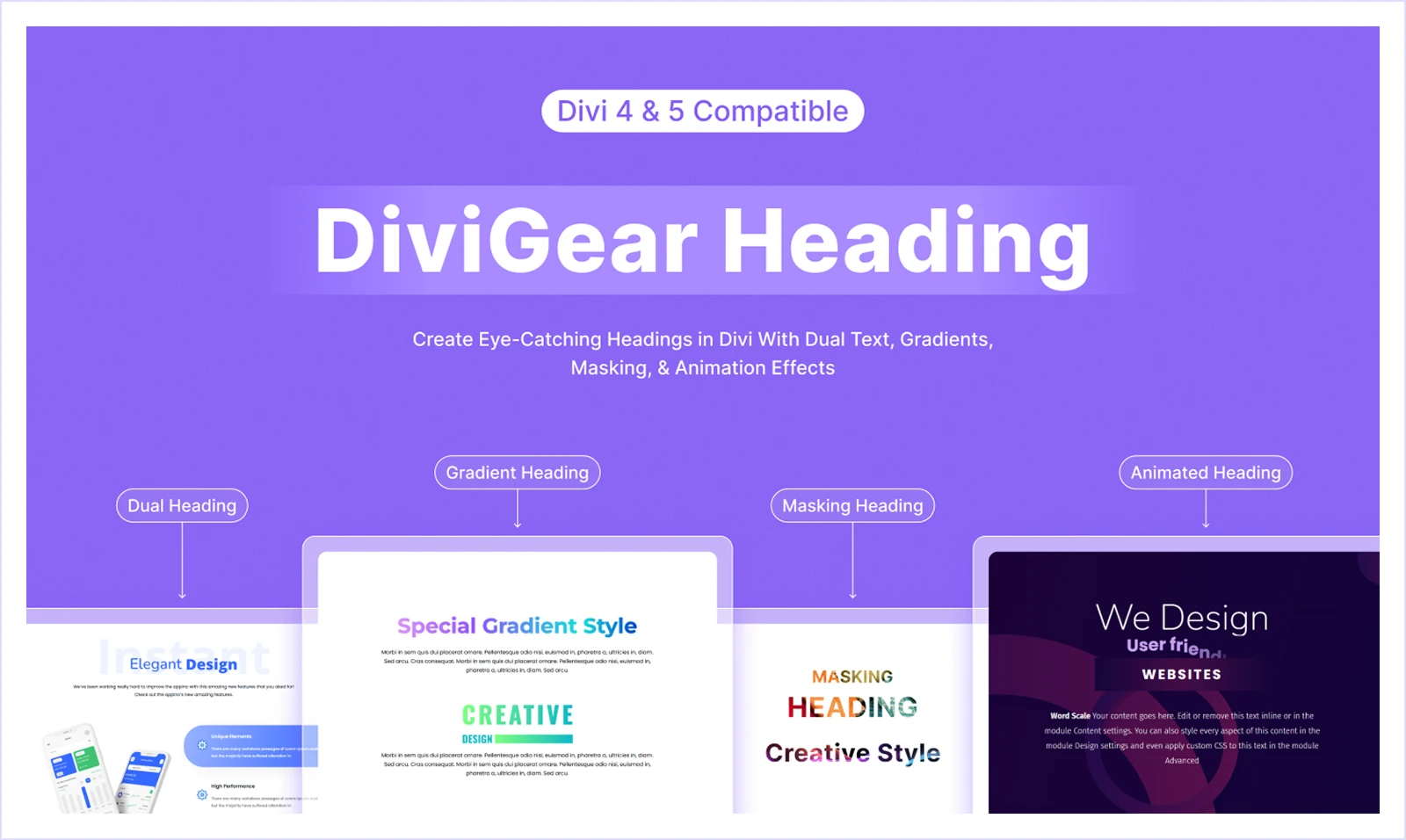
DiviGear Heading takes the default Divi basic heading and transforms it into visually engaging titles with animation and rich styling options. DiviGear Heading includes two dedicated heading modules inside the Divi Builder:
- Advanced Heading - Get multiple heading styles such as gradient text headings, multi-text headings, and stacked headings.
- Animated Heading - Animate titles with different text effects with fancy text and advanced easing options
You’ll get the features for all content areas like web, graphics, and video. You can also create custom heading combinations by mixing different styles, text segments, and highlight effects within a single title.
One of the biggest advantages of DiviGear Heading is its flexibility in styling. You can control everything from font, color, spacing, alignment, and border styling from a single settings panel. To speed up the design process, the plugin also provides pre-built heading layouts for landing pages, hero sections, and product pages.
Key Features
- Dynamic heading builder with multiple text styles in one title
- 9 Animated heading effects such as rotating or changing words
- Ability to highlight specific words with custom styling
- Create gradient text and gradient headings background for more visually striking titles
- Complete styling control over colors, spacing, borders, and typography
Alternatives
- Divi Sensei Dual Heading
Pricing
DiviGear Heading costs $29 for unlimited sites for lifetime.
DiviGear Product Carousel – Best Divi WooCommerce Product Sliders Plugin

DiviGear Product Carousel is a WooCommerce product slider plugin for Divi that helps you showcase products in interactive, visually appealing carousels. Instead of displaying products in static grids, it allows you to present them in dynamic sliders that highlight product details and encourage engagement.
While WooCommerce and Divi can display products in basic grid layouts, they don’t provide a dedicated module for interactive product sliders inside the Divi Builder. DiviGear Product Carousel solves this by letting you create fully customizable product carousels with images, titles, prices, ratings, badges, and add-to-cart buttons.
This plugin is especially useful for eCommerce landing pages, product highlight sections, featured product displays, and homepage promotions. You can showcase recent, featured, best-selling, or top-rated products, making it easier to guide visitors toward important items in your store.
Key Features
- Display recent, featured, best-selling, or top-rated products
- Dynamic 3D carousel transitions or classic slider layouts
- Full control over product titles, prices, ratings, badges, and buttons
- Responsive product sliders with device-specific column settings
- Pause on hover and advanced slider effects
- Direct add-to-cart button inside the carousel
- Pre-designed product carousel layouts for faster setup
Alternatives
- Divi WooCommerce Carousel
- DiviFlash Woo Carousel
Pricing
DiviGear Product CarouselLifetime license starts at $19 for 1 site and $39 for unlimited sites.
DiviGear Blog Carousel – Best Divi Plugin for Showcasing Blog Posts in Sliders
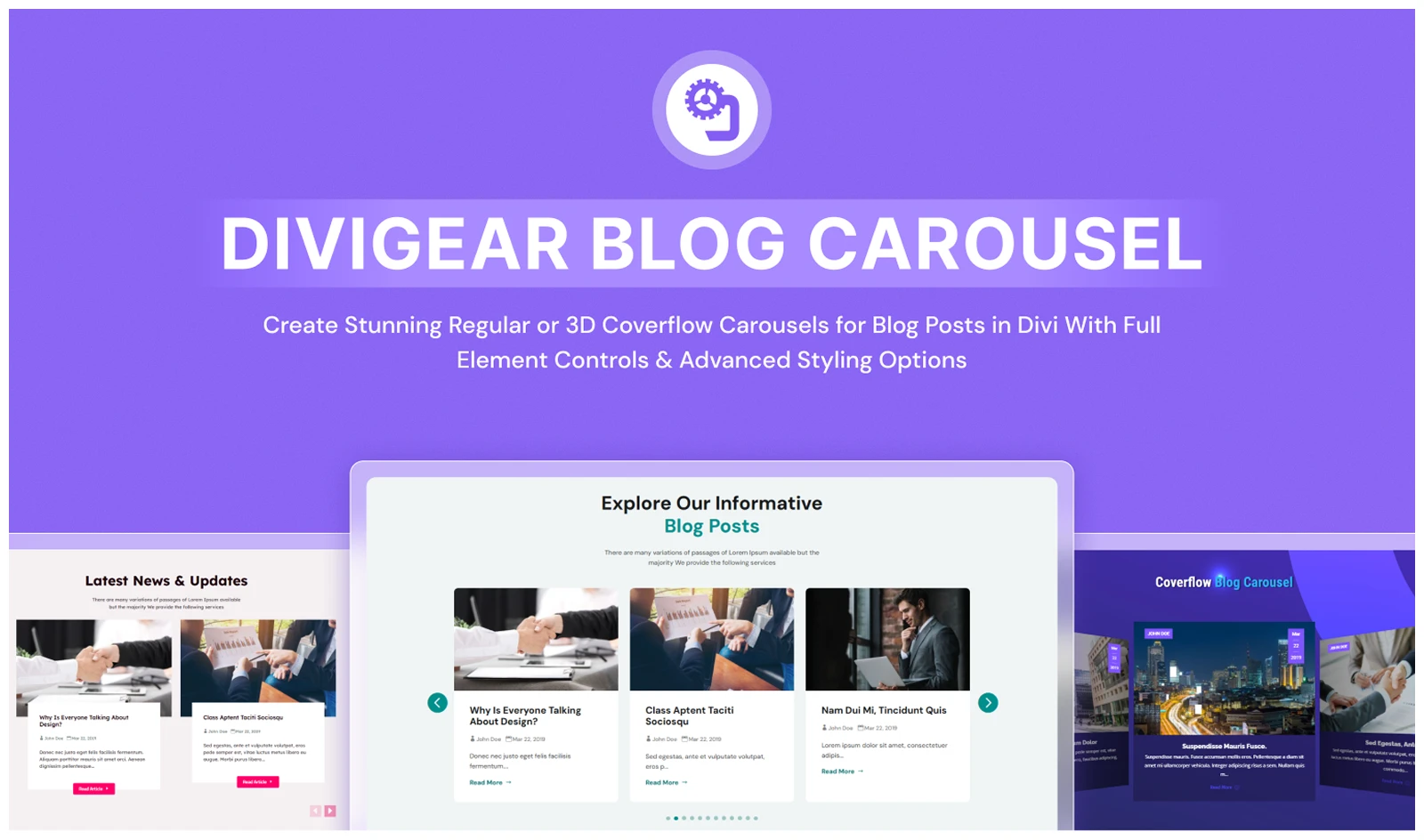
DiviGear Blog Carousel allows you to display blog posts inside interactive sliders directly in the Divi Builder. Instead of showing posts in traditional blog lists or grids, you can highlight them in dynamic carousel layouts that attract attention and improve navigation.
The default Divi Blog module displays posts mainly in grid or standard layouts, but it doesn’t support carousel-based blog presentation. DiviGear Blog Carousel extends this by letting you create smooth blog sliders or eye-catching 3D coverflow layouts.
This makes it particularly useful for homepage blog highlights, featured article sections, content marketing pages, and magazine-style websites where posts need to stand out visually.
Key Features
- 3D coverflow or classic blog carousel layouts
- Control over post elements like images, titles, excerpts, and metadata
- Display posts by recent, popular, or specific categories
- Autoplay sliders with timing control
- Navigation arrows and dot pagination
- Device-specific controls for number of posts per slide
- Advanced styling for images, overlays, buttons, and spacing
Alternatives
- Divi Blog Pro
- Post Carousel Divi
Pricing
Pricing: Lifetime license starts at $19 for 1 site and $39 for unlimited sites.
DiviGear Blog – Best Divi Plugin for Customizable Blog Layouts
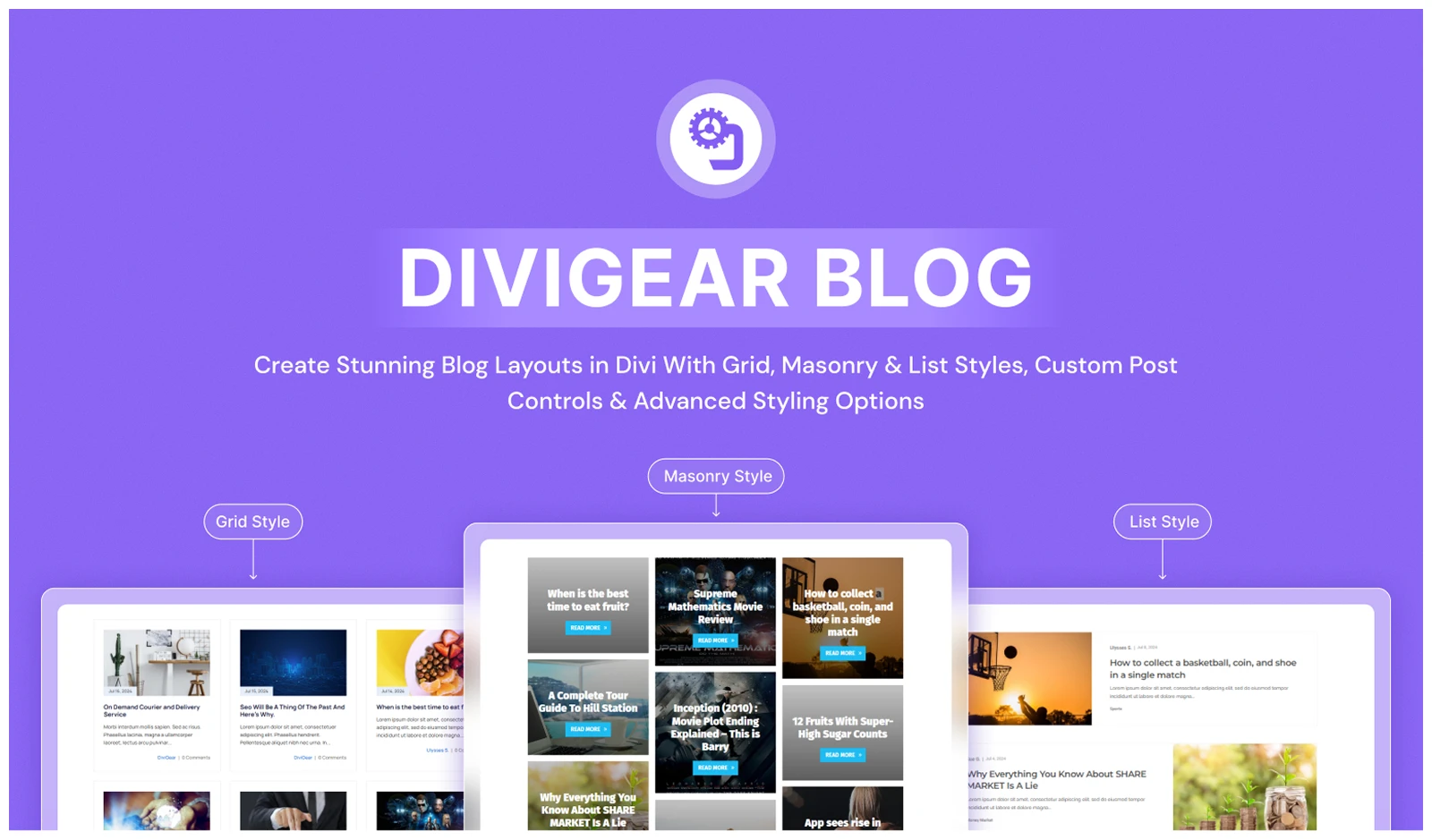
DiviGear Blog extends the default Divi Blog module by giving you more flexible layout options and deeper control over how posts appear on your website. Instead of relying on a single blog structure, it lets you design modern blog sections with customizable layouts, styling controls, and advanced post display options.
The plugin offers three distinct layout styles: Grid, Masonry, and List each with flexible column control and device-specific settings so your blog layout adapts perfectly across desktop, tablet, and mobile. This allows you to design visually structured blog sections instead of using the standard Divi blog layout.
Another advantage is the ability to display different types of content, not just blog posts. You can showcase projects or any custom post type, while choosing which elements should appear in each post card. These include featured images, titles, excerpts, metadata, and read-more buttons, giving you full control over how each entry is presented.
To help you launch quickly, DiviGear Blog includes 45+ ready-to-use blog templates. You can also apply hover effects, animations, and custom pagination styles, making the blog section more interactive and visually refined.
Key Features
- Three blog layouts: Grid, Masonry, and List
- Display blog posts, projects, products, or custom post types
- 9 customizable post elements including image, title, and metadata
- Flexible column control with device-specific layout settings
- Sort posts by date, popularity, category, or random order
- 45+ pre-made blog templates for faster setup
- Custom hover effects, typography, and spacing controls
- Multiple pagination styles for smoother navigation
Alternatives
- Divi Blog Extras
- Divi Blog Pro
Pricing
DiviGear blog pricing starts at $25 for 3 sites and $39 for unlimited sites for lifetime license.
How We Selected These Divi Plugins
There are hundreds of Divi add-ons available, but not all of them provide real value for modern website building. To create this list, we evaluated each plugin based on several important factors.
- Plugin Capability
First, we looked at how much the plugin extends Divi’s default capabilities. The goal was to include plugins that add meaningful features like advanced animations, dynamic layouts, WooCommerce enhancements, or specialized content modules.
For example, Divi already has basic animation options, but you can’t build fully interactive animated landing pages with them. That's why we included DiviMotion, a dedicated animation plugin powered by GSAP that makes advanced animations like horizontal scrolling, vertical scrolling, pinned sections, and scroll-triggered effects possible.
- Ease of Use
Next, we considered how easy the plugins are to use inside the Divi Builder. Since Divi is a visual builder, the best plugins should work directly within the builder interface without requiring extra panels or complicated setups. All the plugins listed here integrate smoothly with the Divi 5 interface and also include pre-built layouts to speed up the design process.
- Performance Impact
We also reviewed performance impact, design flexibility, pricing value, and real-world usability for sites like business websites, blogs, portfolios, and WooCommerce stores. So, we choose the Divi plugins that are performance focused.
For instance, DiviFlash is an all-in-one Divi builder plugin that includes many modules, but it also provides a module disable option, allowing you to activate only the features you actually need. This helps keep the website optimized.
Frequently Asked Questions About Divi Plugins
Are Divi plugins necessary?
Divi plugins are not required, but they help extend the builder with features like animations, advanced layouts, and WooCommerce enhancements.
Do Divi plugins slow down a website?
Well-optimized plugins usually load scripts conditionally, which minimizes performance impact.
Can I use multiple Divi plugins together?
Yes, most Divi plugins are designed to work together since they extend the Divi Builder modules.
Are Divi plugins compatible with Divi 5?
Yes. All the plugins listed here are already compatible with Divi 5.
Final Thoughts: Which Divi Plugin Should You Choose
We’ve listed the top Divi plugins, but that doesn’t mean you need all of them on your website. Choosing the right plugin depends on your current site needs and what you might want to add in the future.
Here’s our recommendation for selecting the best Divi plugins based on your needs:
If you want an all-in-one Divi solution: Choose DiviFlash for advanced modules, extensions, layouts, WooCommerce features, popups, and mega menus.
If you want advanced animations: Choose DiviMotion for GSAP-powered scroll, click, hover, page load, timeline, and sequence animations.
For blogging websites: Use DiviGear Blog, DiviGear CPT, DiviGear Popup, or DiviGear Blog Carousel, depending on your content layout and promotion needs.



0 Comments