

Before you can start animating with DiviMotion, you’ll need to install and activate the plugin like any other WordPress plugin.
This guide will also walk you through activating your license so you can receive updates, support, and upcoming features.
Minimum Requirements
To ensure smooth performance, your website should meet the following minimum requirements:
- WordPress: 6.0 or higher
- Divi: 5.0 or higher (DiviMotion is not compatible with Divi 4 or older versions.)
- PHP: 7.4 or higher
- MySQL: 5.7+ (with InnoDB support)
- An active DiviMotion license (for updates and support)
Pro tip: Not sure about your site's specs? Check Tools → Site Health in your WordPress dashboard.
Step 1: Download the Plugin
After purchasing DiviMotion, you’ll receive a confirmation email with a download link.
You can also access the plugin anytime from your account dashboard:
- Log in to your DiviMotion Account
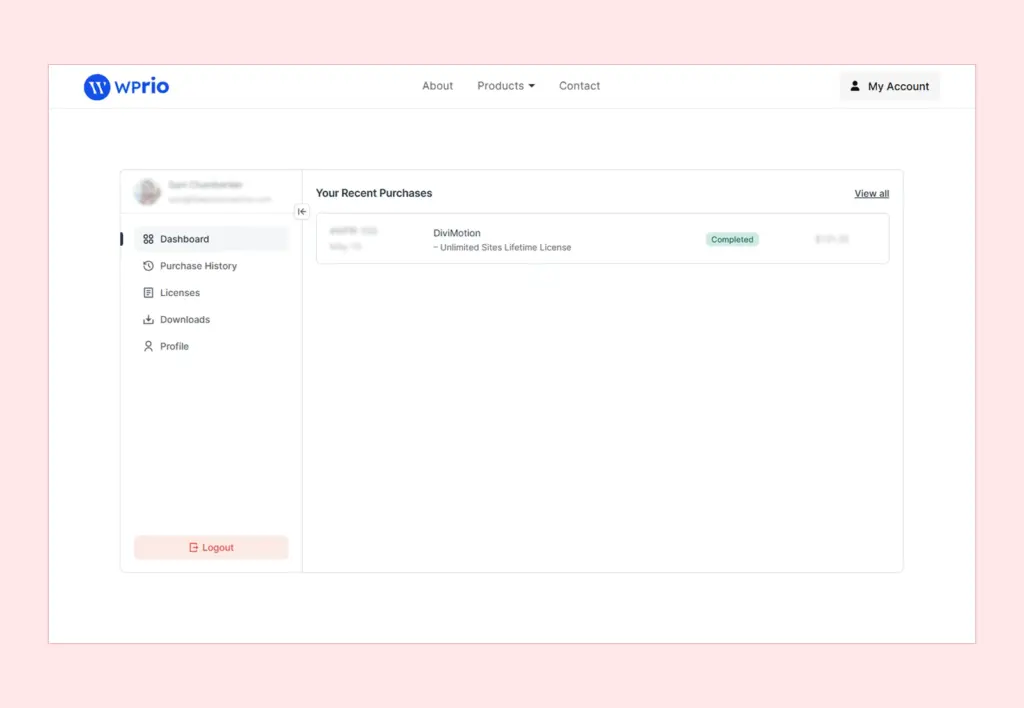
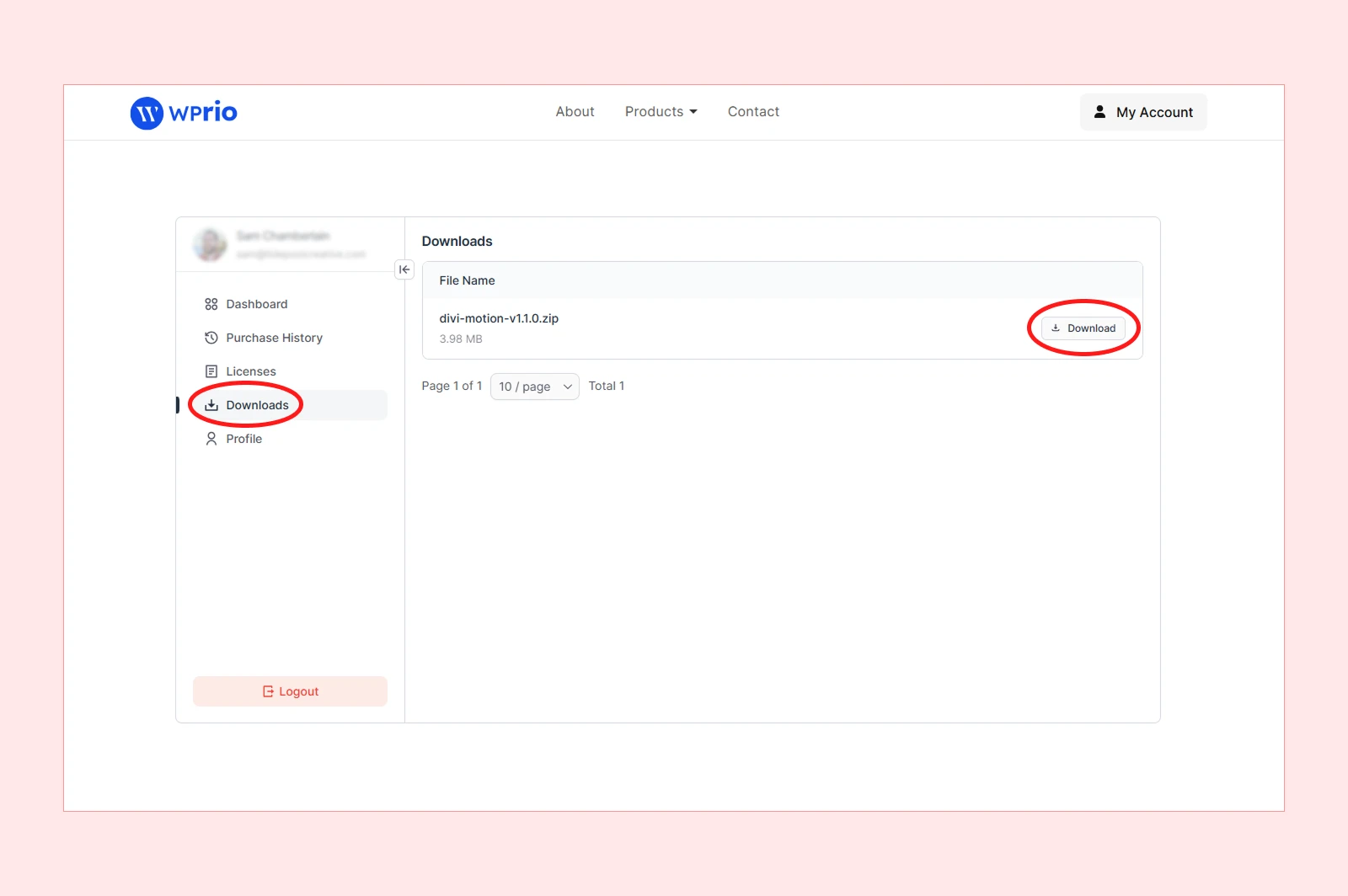
- Navigate to Downloads
- Download the latest DiviMotion.zip file
Step 2: Install & Activate the Plugin
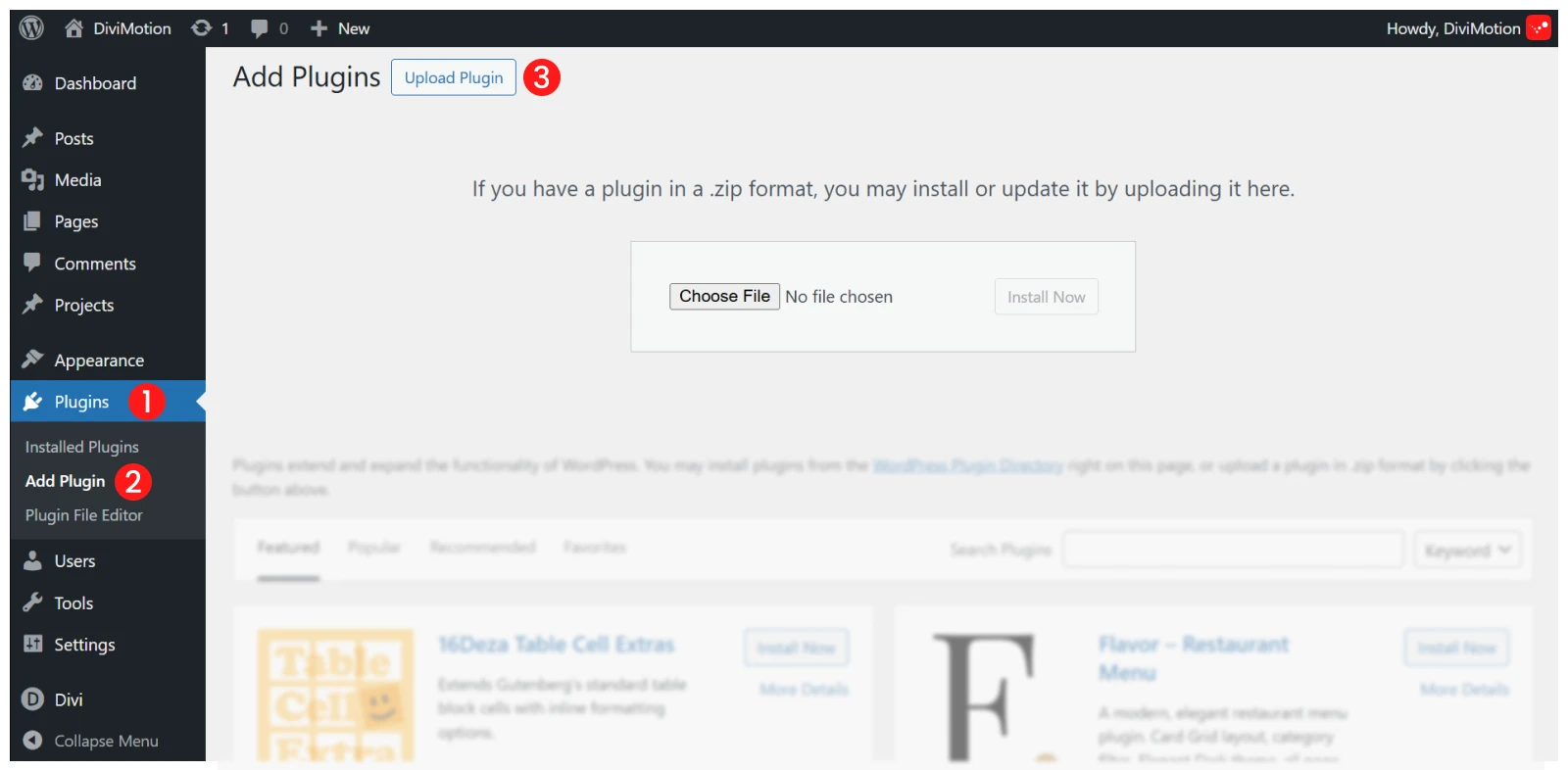
- Log in to your WordPress Dashboard
- Go to Plugins → Add New
- Click Upload Plugin
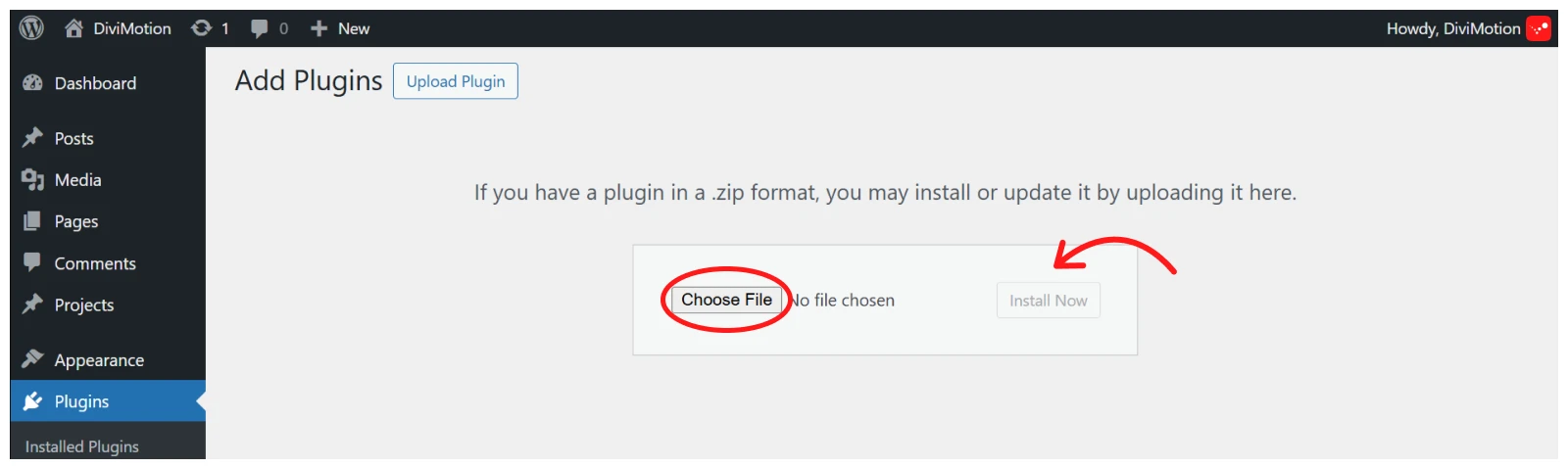
- Click Choose File, select the DiviMotion.zip file, and click Install Now
- After installation, click Activate Plugin
You will now see "DiviMotion" in your WordPress admin sidebar.
Note: If you purchased DiviMotion through the Divi Marketplace, your license is already activated — no further action is needed. If you purchased from our website, continue with Step 3 below.
Step 3: Activate Your License (Website Purchases Only)
To receive automatic updates and unlock all upcoming features, activate your license:
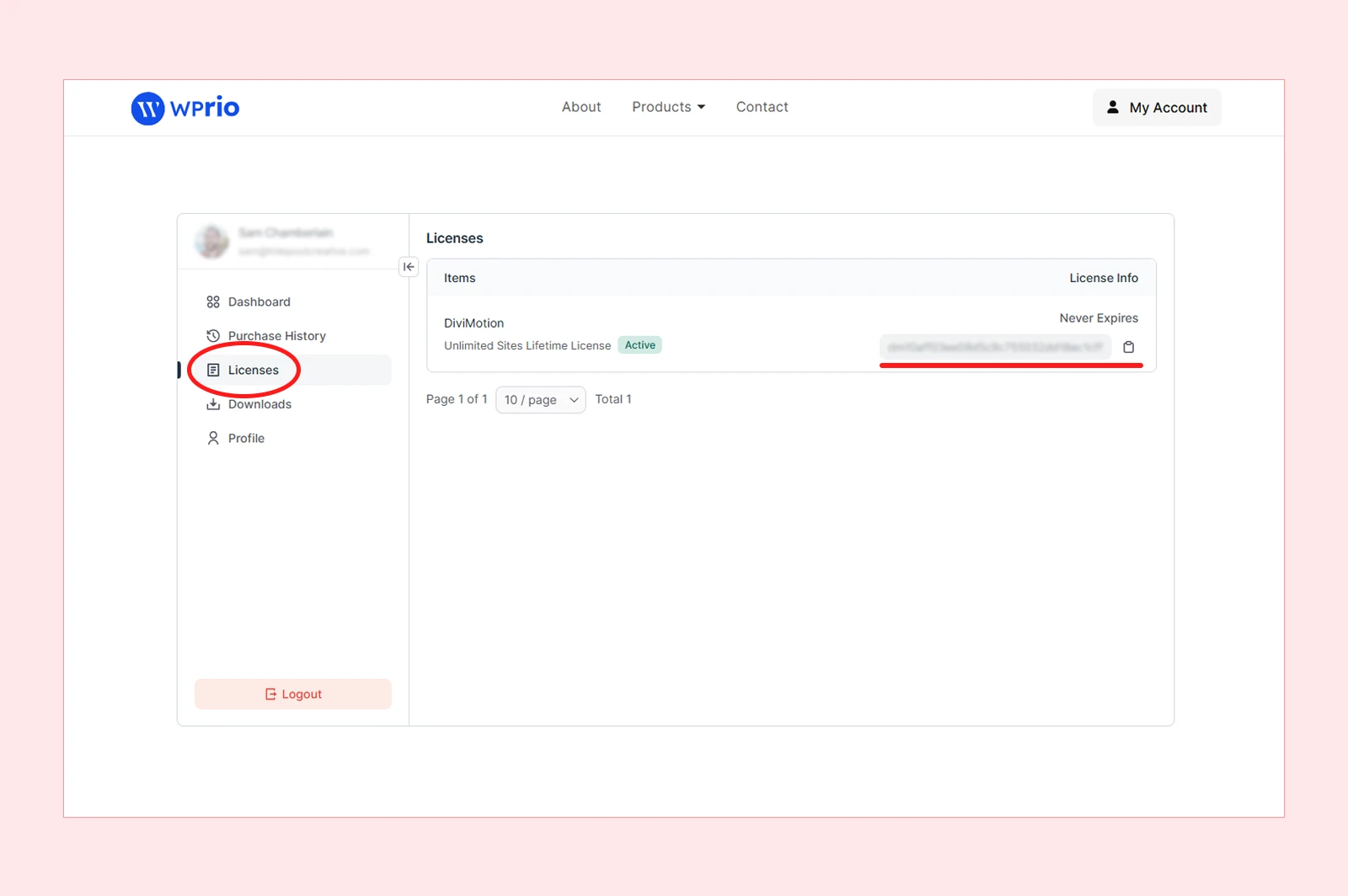
- Go back to your DiviMotion account, click on "Licenses" tab and copy the license
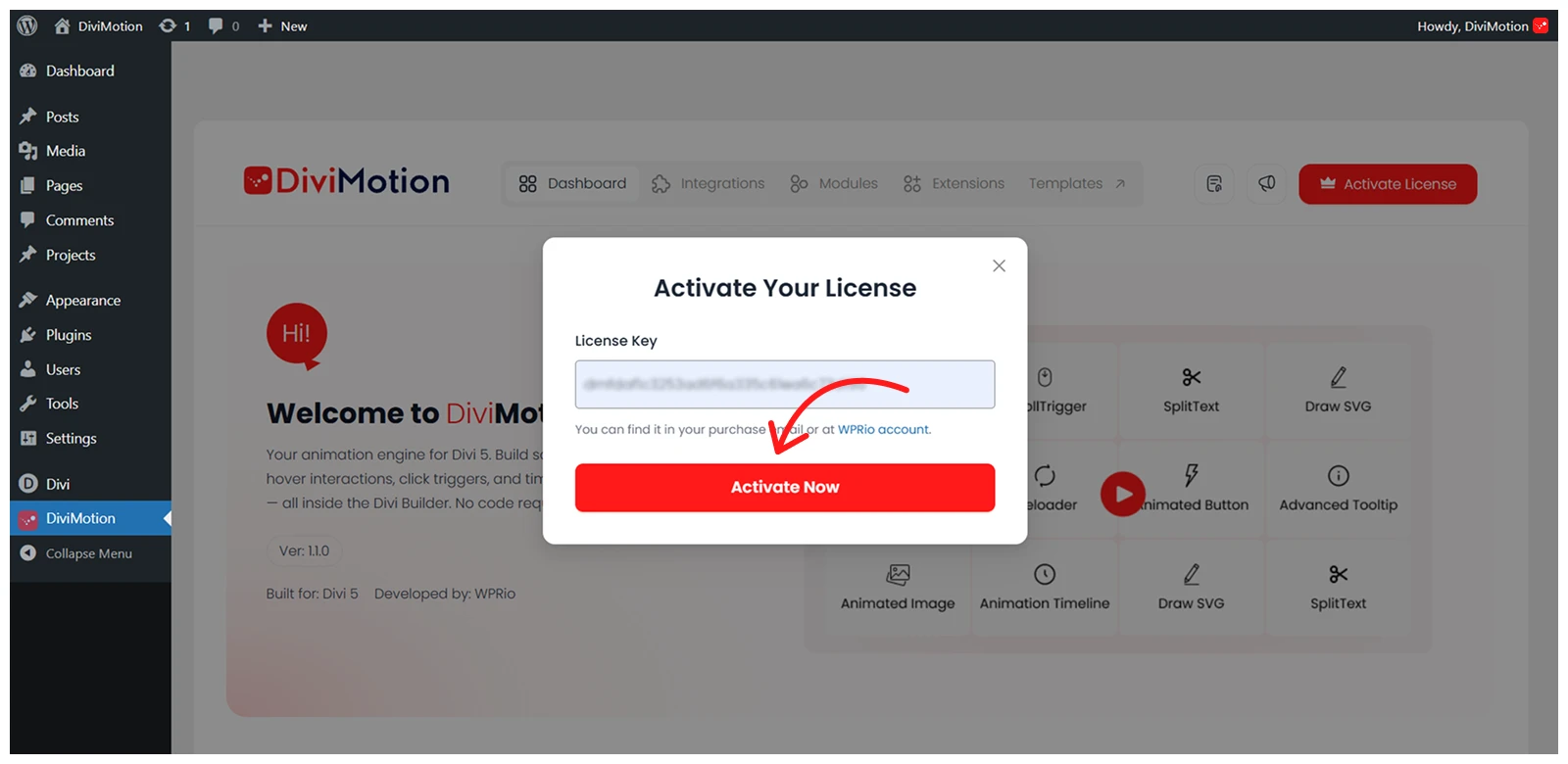
- Then navigate to DiviMotion → License in your WordPress Dashboard
- In the “License Key” field, enter your unique License Key and Click the “Activate” button.
- After successful activation, you will see a confirmation message: “Your License Key is activated” and the status will update to Active.
Having Issues?
If activation fails:
- Double-check your license key (no typos or spaces)
- Ensure your site can connect to the licensing server (no firewall or DNS blocks)
- If activation still fails, contact our support team
Need a License Key?
If you don’t have a DiviMotion license yet, you can purchase one directly from our website.


