

Loading
Divi Motion Logo
  • Home
  • Features
    • Horizontal Scrolling Text
    • Animated Process Flow
    • Particle Text
    • Header Scroll
    • Elastic Cards
    • Gravity Box
    • Scroll Video
    • DrawSVG
    • Card Stack
    • Card Deck
    • Horizontal Scroll
    • Preloader
  • Examples
    • Scroll Animations
      • Horizontal Scrolling Text Animation
      • Scroll Video Animation
      • DrawSVG Animation
      • Horizontal Scroll Animation
      • Vertical Scroll Animation
      • Pinned Elements Animation
      • Scroll Stack Animaiton
      • Split Text Animation
      • Stagger Animation
      • Card Stack Animation
      • Card Deck Animation
    • Click Animations
    • Hover Animations
    • Page Load Animations
      • On Load Animation Example
      • Page Load Animation Example
    • Gravity Box Animation
    • Elastic Cards Animation
    • Animated Process Flow Animation
    • Particle Text Effect Animation
  • Pricing
  • Resources
    • Documentation
    • Video Tutorial
    • Changelog
    • Roadmap
    • Community
    • Contact & Support
Login

Getting Started

6
  • Introduction to DiviMotion
  • Installing & Activating DiviMotion
  • Dashboard Overview
  • Interface Overview
  • Create Your First Animation
  • DiviMotion Glossary

Interactions

5
  • Overview
  • Scroll Trigger Interaction
  • Click Trigger Interaction
  • Hover Trigger Interaction
  • Page Load Trigger Interaction

Actions

4
  • Overview
  • Custom Action Overview
  • Action Presets Overview
  • CSS Properties Overview

Extensions

6
  • Scroll Header
  • Card Deck
  • Card Stack
  • Horizontal Scroll
  • Animation Timeline
  • Preloader

Modules

7
  • Horizontal Scrolling Text Overview
  • Animated Process Flow Overview
  • Particle Text Overview
  • Scroll Video Overview
  • Gravity Box Overview
  • Elastic Cards Overview
  • DrawSVG Overview
View Categories
  • Home
  • Docs
  • Extensions

Preloader

The Preloader displays a full-screen loading overlay while your page loads, then smoothly fades out once everything is ready. It supports 13 animation styles, custom logos, colors, and CSS.

How to Enable Preloader

To use the preloader feature, you'll need to activate the extension:
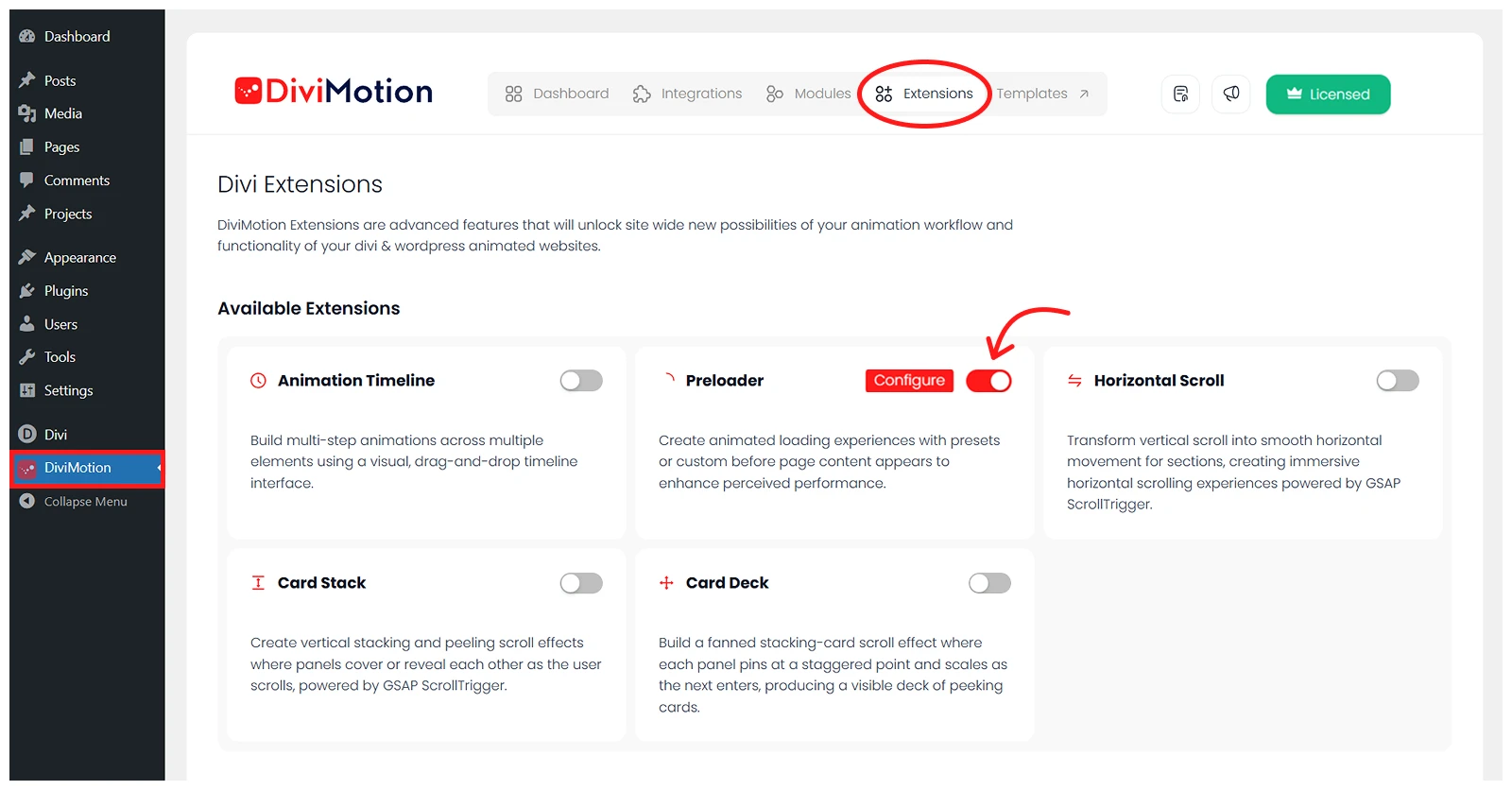
  • Go to your WordPress Dashboard.
  • Navigate to DiviMotion → Extensions.
  • Toggle on Preloader.

Once enabled, the preloader appears automatically on all frontend pages (excluding builder and admin views).

Settings Overview

Clicking Configure opens the Preloader settings modal. All customisation happens here across three tabs: General, Appearance, and Advanced. A live preview at the top of the modal updates in real time as you make changes.

General Tab

The General tab controls whether an animation element is shown and which animation style is used. 
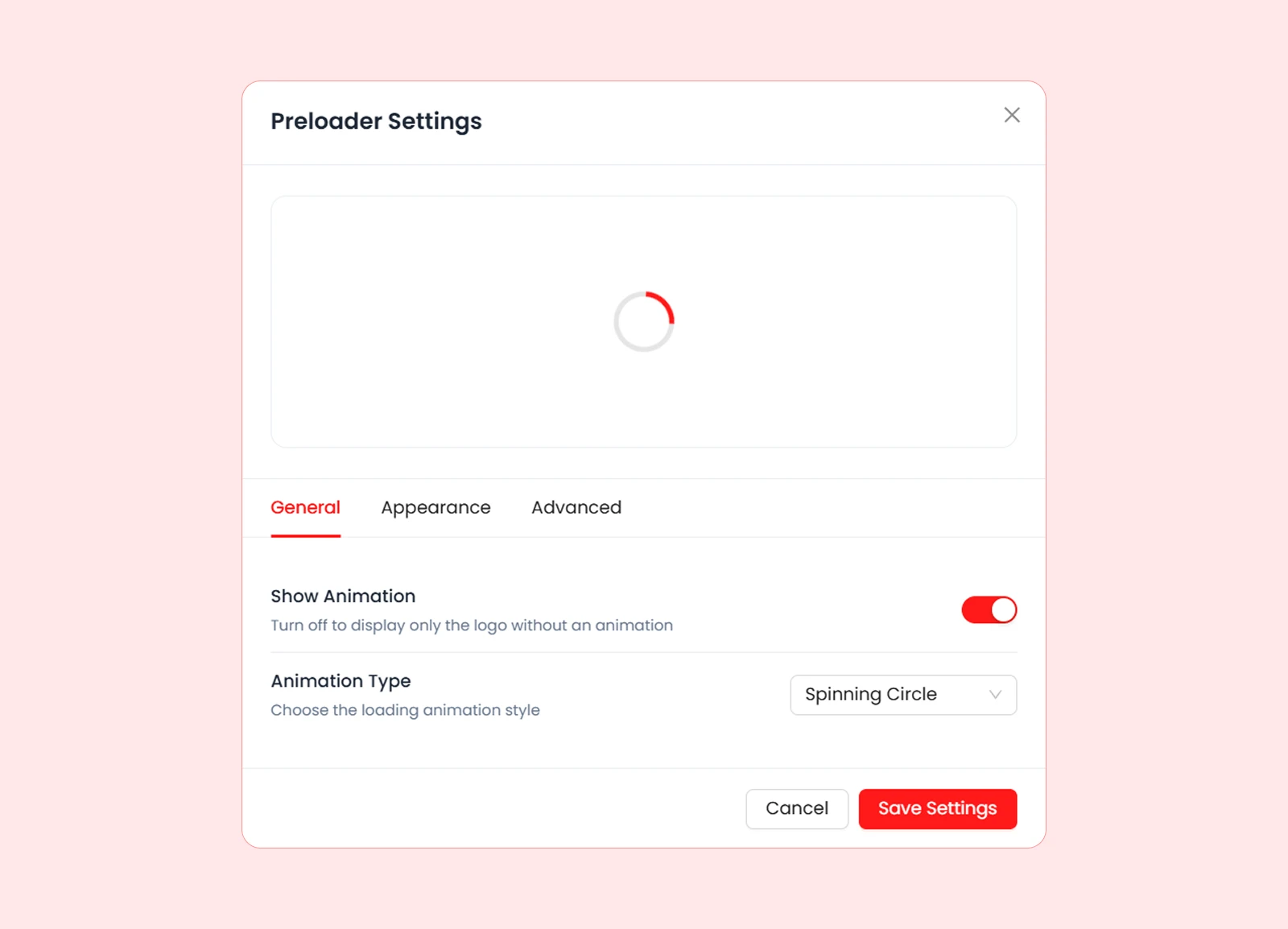
SettingWhat It Does
Show AnimationToggle the animation element on or off. When off, only the background colour and logo are shown — no animated element appears.
Animation TypeChoose from 13 built-in animation styles. Only visible when Show Animation is enabled.

Appearance Tab

The Appearance tab controls the visual design of the preloader overlay, including colours, logo, and logo sizing.
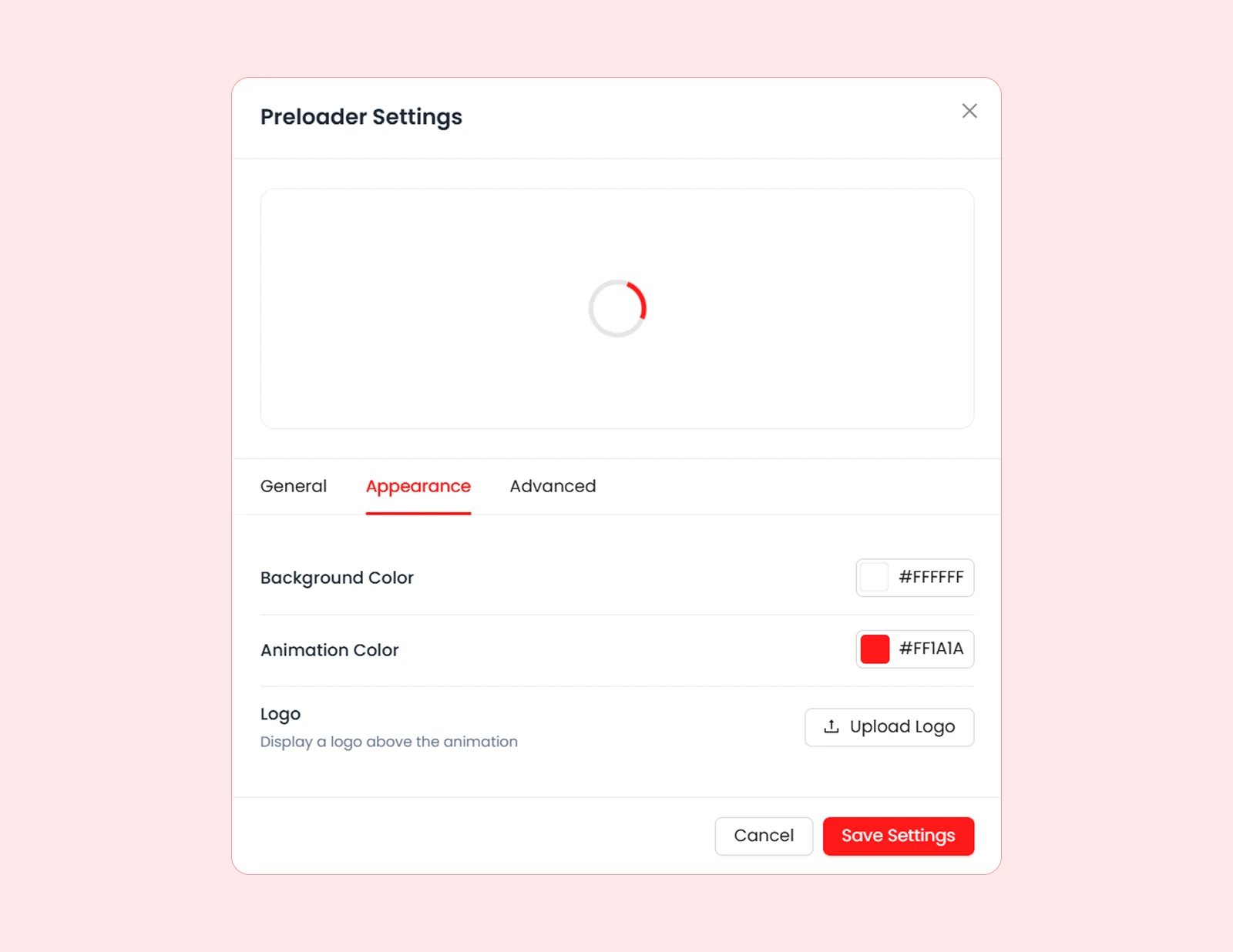
SettingWhat It Does
Background ColorSets the full-screen overlay colour that fills the screen during loading.
Animation ColorSets the color of the animated element. Only visible when Show Animation is enabled.
LogoUpload a logo via WordPress media library. The logo displays above the animation and fades gently between 30% and 100% opacity while the page loads.
Logo WidthControls the display width of the uploaded logo, from 20px to 400px. Height scales proportionally. Only visible when a logo has been uploaded.

Advanced Tab

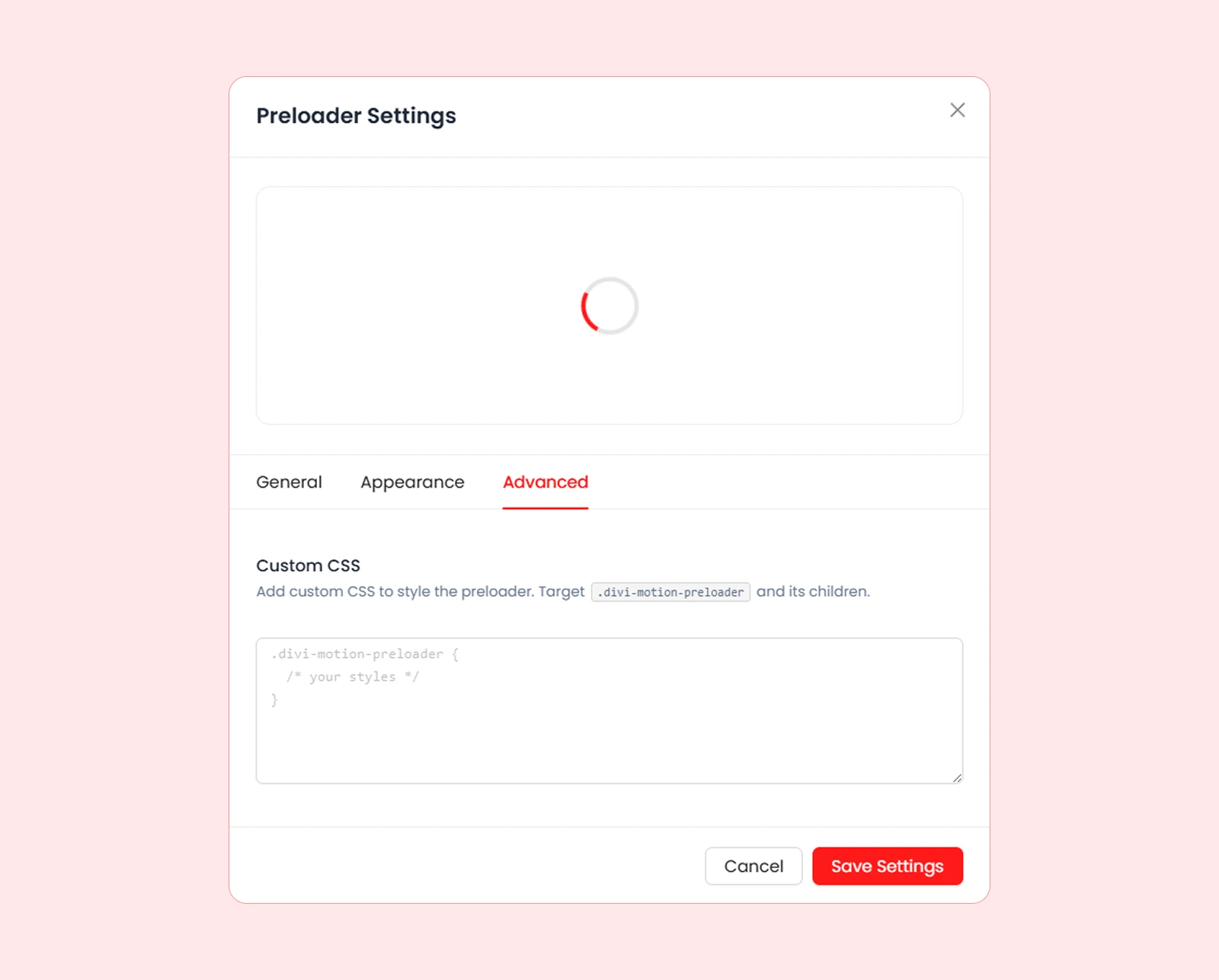
The Advanced tab provides a Custom CSS field for overriding or extending the preloader’s default styles.
What’s Next?

Now that you understand the Preloader, you can give every visitor a polished, branded first impression while your page content loads.

Updated on September 27, 2026

What are your Feelings

  • Happy
  • Normal
  • Sad

Share This Article :

  • Facebook
  • X
  • LinkedIn
  • Pinterest
Animation TimelineScroll Header

Submit a Comment Cancel reply

Your email address will not be published. Required fields are marked *

DiviMerc Logo

Make Divi Websites Move

  • Follow
  • Follow
  • Follow
  • Follow
  • Follow

Divi is a registered trademark of Elegant Themes, Inc. This website is not affiliated with nor endorsed by Elegant Themes.

Company

  • About

  • WordPress SEO Service

  • Contact

  • Community

Products

  • DiviFlash

  • DiviMerc

  • DiviGear

  • RioVizual

  • RioForms

Resources

  • Documentation

  • Video Tutorial

  • Changelog

  • Roadmap

Legal

  • Terms of Service

  • Privacy Policy

  • Refund Policy

DiviMerc Footer Logo

2

© 2026 DiviMotion. A WPRio creation, in SEO partnership with VizibleSEO. All rights reserved.